
A mechanical button gives the user physical travel and a defined actuation point, while capacitive touch detects a change in an electric field through a fixed surface. Neither interface is universally better. The right choice depends on tactile feedback, cycle life, panel thickness, system cost, environmental exposure and how the product will be maintained.
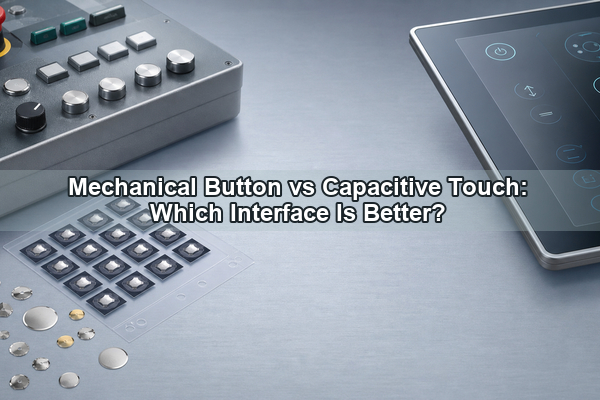
This comparison treats the button as part of a complete human-machine interface rather than as an isolated component. A durable switch can still perform poorly if the actuator is misaligned, and a sealed capacitive panel can still produce false or missed touches if its sensing, grounding and firmware are not designed for the operating environment.
What Is a Mechanical Button?
A mechanical button is a physical input that moves an actuator and changes an electrical contact state. It may use a packaged pushbutton switch, a tactile switch, a membrane contact, or a metal dome placed over PCB or FPC pads. The common characteristic is that the user applies force and receives physical travel, resistance or a snap response.
In this article, mechanical does not mean a computer keyboard category. It means a discrete physical control used in industrial panels, medical equipment, appliances, handheld products and vehicle controls. The button may be momentary or latching, although compact metal-dome interfaces are normally momentary.
How Does a Mechanical Push Button Work?
A mechanical push button transfers finger force through a keycap or plunger to a spring contact. In a metal-dome design, the dome deflects until it reaches its trip force, snaps downward and bridges the circuit pads. When the force is removed, the dome returns to its original shape and opens the circuit.
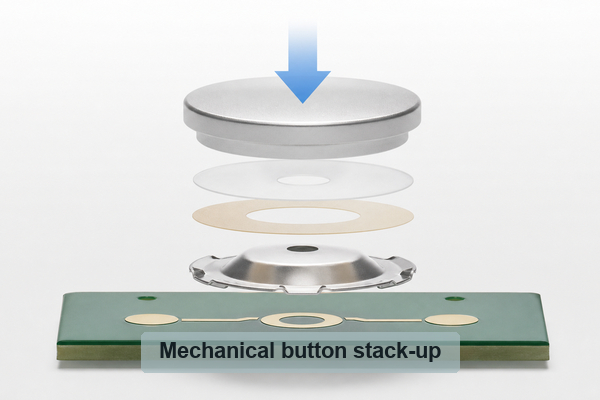
The feel is defined by more than the nominal operating force. Travel controls how far the key moves. Click ratio describes the force drop after the snap. Return force affects reset. Actuator stiffness, alignment, venting, spacer thickness and PCB pad geometry also change what the user feels. This is why two buttons using the same dome can feel different after assembly.
How Does Capacitive Touch Work?
A capacitive button uses a conductive electrode and sensing circuit to measure a change in capacitance. A finger near or on the overlay couples to the electric field, and the controller compares that change with a detection threshold. No contact pair has to close, so the sensing element has no mechanical travel.
The visible surface can be glass, plastic or a printed overlay. The design must account for electrode size, overlay material and thickness, nearby ground, traces, shielding, moisture, gloves and electromagnetic noise. Firmware commonly handles baseline tracking, debounce, sensitivity and rejection of unintended touches.
Mechanical Button vs Capacitive Touch: What Are the Key Differences?
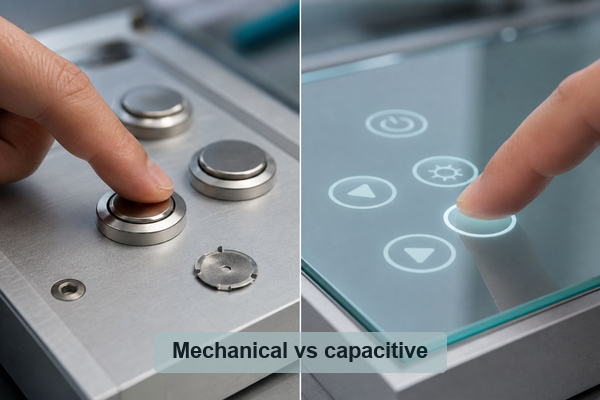
The practical comparison is between complete interface systems. A metal-dome button includes a moving tactile element and contact pads; a capacitive button replaces the contact action with an electrode, controller and detection logic.
| Decision Factor | Mechanical Button | Capacitive Touch |
|---|---|---|
| User feedback | Physical travel and configurable snap force | No natural travel; feedback needs light, sound or haptics |
| Wear mechanism | Spring, contact and actuator wear are finite | Electrode has no moving wear point; electronics and overlay still age |
| Front surface | Usually needs an actuator opening or flexible overlay | Can operate behind a continuous sealed overlay |
| Input certainty | Trip point gives direct physical confirmation | Depends on threshold, feedback and software state |
| Environmental design | Needs sealing against contaminants at openings and contacts | Needs robust sensing for water, gloves, grounding and EMI |
| Service approach | Individual switch or keypad parts may be replaceable | Often integrated with the overlay, controller or display assembly |
The choice should follow the control function. A fixed emergency, start/stop or frequently repeated command benefits from a stable physical target. A configurable menu, slider or dense set of changing functions benefits from a flat touch surface.
Which Interface Provides Better Tactile Feedback?
A mechanical button provides stronger intrinsic feedback because the force curve exists in the input mechanism. The user can feel the key location, preload, snap and release. Different dome shapes and force values can make one key light and quick while another requires deliberate pressure to reduce accidental activation.
Capacitive touch has no natural confirmation at the electrode. Designers add an LED state change, audible tone or vibration, but these signals confirm the system response rather than the physical closing of a contact. Haptics can improve the experience, yet they add an actuator, control circuit, power demand and mechanical integration work.
For controls that must be found without sustained visual attention, a shaped mechanical button is usually easier to locate. Capacitive touch works well when the user already looks at a display or when the product benefits more from a clean, reconfigurable surface than from distinct key boundaries.
Do Capacitive Buttons Last Longer Than Mechanical Buttons?
The capacitive sensing electrode has no moving contact, so it does not have a rated mechanical cycle life in the same way as a spring or dome. That can be an advantage in very high-frequency operation. However, complete interface life also depends on the overlay, adhesive, connector, touch controller, power supply, firmware and exposure to chemicals, ultraviolet light and temperature.
A mechanical button has a finite life, but its behavior is measurable through trip force, return force, contact resistance and cycle testing. Published Metal-Domes capability data includes dome-array designs rated above one million operations, subject to the selected dome, stack-up and application conditions. A failed discrete switch or dome assembly may also be easier to replace than a bonded touch panel.
Therefore, “no moving parts” should not be translated into an unconditional system-life claim. Compare the validated assembly, not only the sensing principle.
How Do Thickness and Panel Construction Differ?
Capacitive touch can place electrodes behind an uninterrupted overlay, allowing a visually thin, flush front surface. The sensing circuit still needs suitable electrode area, spacing, overlay thickness and clearance from ground or metal structures. A thicker cover reduces the finger-to-electrode coupling and may require larger electrodes or higher sensitivity.
A mechanical button needs a force path and physical deflection. Packaged pushbuttons can add several millimeters of height, while a metal dome and adhesive array can be much thinner. Metal-Domes publishes dome-array structures with total height down to approximately 0.28 mm and travel down to approximately 0.13 mm for applicable constructions.
Panel appearance and functional stack height are different decisions. A capacitive front can look flatter, but the controller, shielding and feedback hardware still occupy board space. A low-profile dome array has physical movement, yet can fit under a thin graphic overlay without a tall switch housing.
Which Interface Costs Less?
For a small number of fixed commands, a mechanical button can have the lower development cost because the circuit is simple and needs little sensing firmware. Cost rises with custom keycaps, seals, harnesses, individual mounting and manual assembly. A custom dome array can reduce placement work by locating multiple domes on one adhesive carrier.
Capacitive touch can reduce the number of discrete switch parts and support many keys on one printed surface. Its cost includes a capable MCU or touch controller, electrode layout, shielding, firmware tuning, environmental validation and visual or haptic feedback. If a display already exists, configurable on-screen controls may be economical; adding a display only to replace a few fixed keys usually changes the comparison.
The lowest BOM is not always the lowest system cost. Count tooling, assembly, calibration, validation, expected field replacement and any additional feedback hardware.
How Do Water, Gloves, Dust, Temperature and EMI Affect Each Interface?
Mechanical interfaces are vulnerable where contaminants can reach the actuator, spring or electrical contacts. A flexible overlay, sealed keypad or gasket can isolate those parts, but sealing changes button force and travel. Temperature also changes elastomer stiffness, adhesive behavior and dimensional alignment.
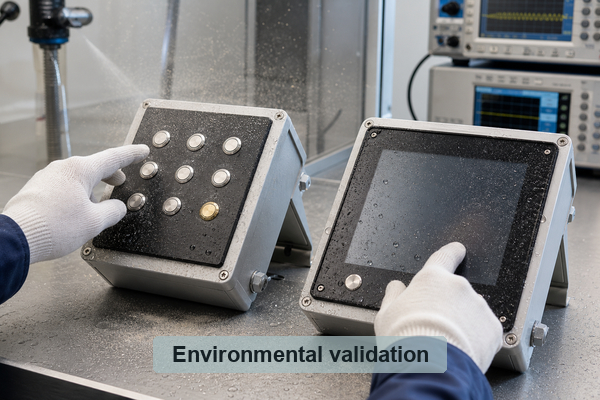
A continuous capacitive overlay is easy to wipe and can keep dirt away from the electronics. The sensing challenge is different: water can couple electrodes, gloves reduce finger coupling, nearby ground changes sensitivity and conducted or radiated noise can disturb detection. Electrode geometry, guard or shield structures, baseline algorithms and controller features must be designed together.
Capacitive touch can work with gloves and liquids when it is specifically engineered and validated for them. Mechanical buttons can also achieve high ingress protection when the complete panel is sealed. Neither result comes automatically from the interface name.
Which Interface Is Easier to Repair and Maintain?
A mechanical control is often modular. A damaged keycap, switch, dome array or PCB can sometimes be serviced without replacing the full display or front panel. Diagnosis is also direct: technicians can check travel, continuity, contact resistance and mechanical obstruction.
A capacitive surface has fewer exposed moving parts and is easier to clean. When a failure involves the touch controller, bonded overlay, display lamination or firmware calibration, repair may require replacing a larger assembly. Product architecture determines the outcome: a separate capacitive keypad PCB is more serviceable than a fully bonded display, while a sealed mechanical keypad is less serviceable than a socketed switch.
For equipment expected to remain in service for many years, define replaceable modules and diagnostic access before choosing the input technology.
When Should You Choose a Mechanical Button, Capacitive Touch or a Hybrid HMI?
- Choose a mechanical button for fixed, frequently repeated or safety-relevant commands that need a clear physical target and actuation confirmation.
- Choose capacitive touch for smooth sealed surfaces, frequent cleaning, configurable functions, gestures or interfaces already centered on a display.
- Use a sealed mechanical keypad when tactile feedback and contamination protection are both required.
- Use touch-specific controllers and validation when water, gloves, thick overlays or strong EMI are expected.
- Choose a hybrid HMI when critical controls should remain physical but settings, navigation and information can stay on a touch display.
A hybrid design is not a compromise by default. It separates commands by interaction need: a user can find and confirm critical functions physically while a screen handles changing content without multiplying discrete keys.
How Can Metal Domes and Dome Arrays Improve a Mechanical Button?
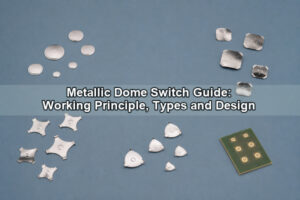
A custom metal dome combines the spring and electrical contact in a compact component. Its shape, diameter, trip force, return force, travel and click ratio can be selected to tune the response. Circle, four-leg, triangle and oblong forms support different pad layouts and force ranges.
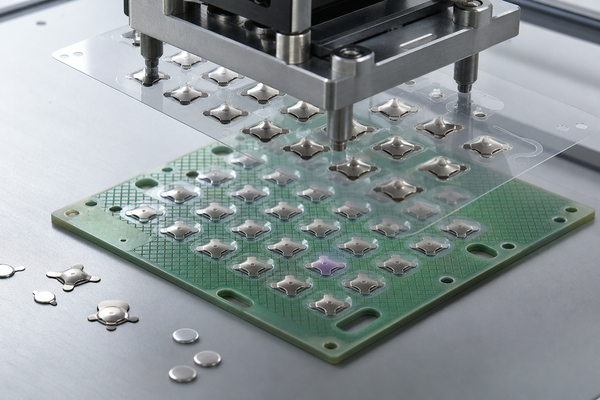
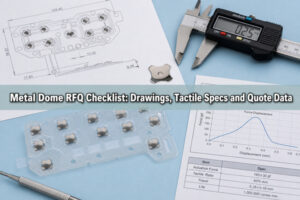
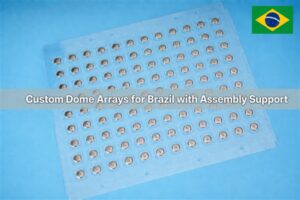
A dome array fixes one or more metal domes to a PET or Mylar carrier. It improves placement consistency, protects the domes during handling and reduces the chance of missing, doubled or misaligned parts. One array can contain different dome shapes and forces for different key functions, and it can include spacers, venting or alignment features.
EBest Circuit(Best Technology) has manufactured metal domes and dome arrays since 2006. Its published capabilities include single-layer, double-layer, EMI-printed, rubber-glue, LGF and custom arrays for PCB, FPC and membrane-switch assemblies. The result is still a mechanical button, but without the height and housing of many packaged pushbutton switches.
FAQ About Mechanical Button and Capacitive Touch?
What are tactile switches?
Tactile switches are momentary mechanical switches that provide a perceptible force change or click when actuated. A packaged tactile switch includes its own housing and terminals; a metal dome can provide a similar tactile action inside a custom keypad. See the detailed tact switch guide for the component distinctions.
Do capacitive buttons last longer than mechanical buttons?
The electrode has no moving wear point, but system life also depends on the overlay, electronics, firmware and environment. Mechanical buttons have finite rated cycles, yet may be easier to test and replace. Compare validated assemblies under the same operating conditions.
Can a capacitive button work with gloves?
Yes, but glove material and thickness reduce capacitive coupling. The controller, electrode size, overlay and detection threshold must support the intended glove, and the finished product should be validated across temperature, moisture and noise conditions.
Can a mechanical button be waterproof?
It can be part of a water-resistant or waterproof assembly when the overlay, gasket, housing, venting and connector are designed to the required ingress level. A bare button mechanism is not automatically waterproof.
Is a metal dome a complete mechanical switch?
No. The dome provides spring action and contact closure, but it needs correctly designed circuit pads, an actuator or overlay, retention and spacing. A dome array supplies the placement layer but remains part of the full keypad assembly.
Conclusion
A mechanical button is usually the stronger choice for fixed controls that need tactile certainty, physical location and modular service. Capacitive touch is attractive for sealed, cleanable and reconfigurable surfaces, provided the sensing system is engineered for gloves, water, grounding and EMI. Many products benefit from using both.
For a low-profile tactile interface, EBest Circuit(Best Technology) can support custom metal domes and dome arrays with controlled force, travel, click ratio and placement. Contact sales@metal-domes.com to discuss the mechanical interface for your application.