
How do touch screens work? A sensor detects a change caused by your finger or another input object, a controller calculates its position, and software turns that position into an action. Capacitive screens measure changes in electrical coupling; resistive screens measure a contact created by pressure. Neither mechanism is the same as pressing a metal dome switch beneath a separate physical key.
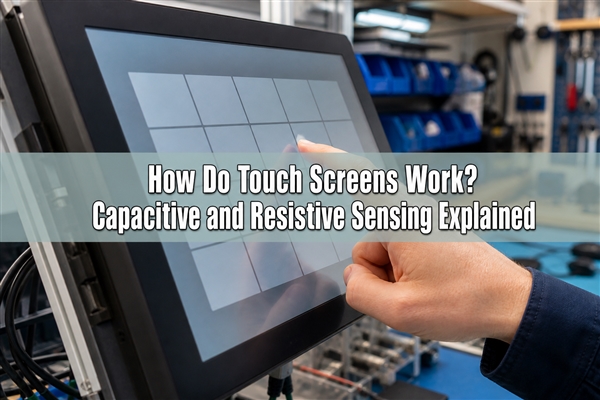
How Do Touch Screens Work from Touch to Response?
A touchscreen works through a sensing-to-software chain. The visible image and the detection of your touch are related functions, but they are not the same function. A touch screen panel detects input, while a touch screen display also presents the image you interact with. These functions may be separate layers or integrated within the display assembly.
- Detect: the sensing system measures a local change, such as capacitance or electrical contact.
- Locate: the touch controller estimates coordinates and rejects signals that do not meet its detection rules.
- Report: the controller sends a touch-down, movement or release event to the host.
- Respond: the application checks what is at that location and performs the assigned action.
Is a touchscreen input or output? The touch sensor is an input device, and the display is an output device. A complete touchscreen combines both. Detection alone does not mean a command has been accepted: an inactive control, software delay or an application fault can leave a correctly sensed touch without the expected response.
For 5 uses of touch screen technology, consider phone navigation, self-service ordering, equipment setup, instrument data review and access-control menus. All use coordinates, but their requirements differ. A handheld instrument operated in gloves needs a different validation plan from an indoor information kiosk used with bare fingers.
How Do Capacitive Touch Screens Work?
A capacitive touch screen detects a change in the electrical behavior of sensor electrodes. In projected-capacitive designs, the electrodes sense through a nonconductive cover such as glass. The finger does not need to make electrical contact with exposed wiring, and the cover does not have to bend until two layers touch.
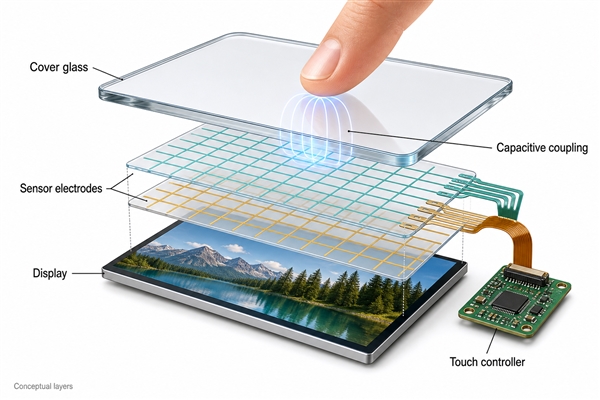
What is a capacitive touch screen measuring? Depending on its design, it measures self-capacitance, mutual capacitance, or both. Self-capacitance concerns an electrode relative to its surroundings and electrical reference. Mutual-capacitance sensing measures coupling between transmitting and receiving electrodes. A nearby finger changes that coupling; the controller compares measurements with a no-touch baseline.
In a typical mutual-capacitance system, a finger diverts part of the coupled electric field, reducing the measured coupling at nearby sensing nodes. The controller uses the spatial pattern, filtering and detection thresholds to locate touches. It is therefore inaccurate to describe all capacitive screens as simply detecting body heat, pressure or a universal voltage drop.
How do touch screens know it’s a finger?
They do not identify a finger as a biological object. They recognize a signal pattern consistent with an allowed touch. A conductive stylus or suitable glove can create a usable signal too. Multi-touch operation requires a sensing layout and controller that can distinguish more than one contact; it is not guaranteed merely by calling a screen capacitive.
How do touch screens work on smartphones?
Most modern smartphones use projected-capacitive sensing, so the question “how do touch screens work on phones” follows the same sensor-controller-software chain. How do phones know when you’re touching the screen? The controller reports a valid contact after evaluating the electrode signals; the operating system then interprets taps, swipes and gestures.
How does touch screen work on iPhone? The general answer is also capacitive touch detection, but electrode integration, controller features and stylus support vary by model. A screen’s touch sensor should not be confused with fingerprint identification or a separate pressure-sensing feature.
How Do Resistive Touch Screens Work?
A resistive touchscreen detects a location when pressure brings two conductive surfaces into contact. A flexible upper sheet sits above a lower surface, separated by small spacers. A finger, gloved hand or suitable blunt stylus presses the upper sheet down at the touch point.
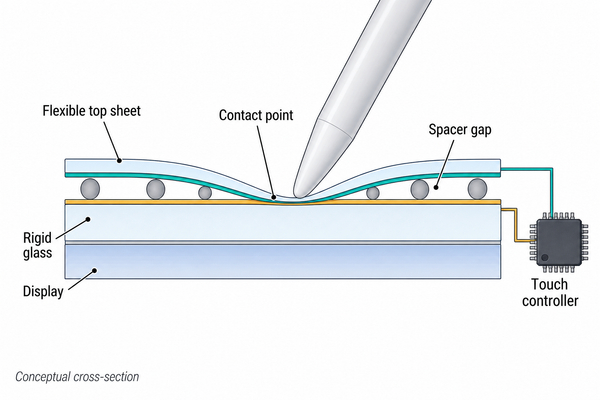
In a conventional four-wire design, the controller applies a voltage gradient across one resistive layer and samples the contact voltage through the other. It then changes the drive-and-measure arrangement to obtain the second coordinate. An analog-to-digital converter turns the measured voltages into values the host can use.
The object does not need to be electrically conductive, but it must apply enough force without damaging the surface. Conventional resistive panels are usually single-touch; specialized designs differ. Surface wear, mechanical support and calibration affect performance. The schematic illustrates contact behavior, not a complete four-wire wiring diagram.
Capacitive vs Resistive Touch Screen: What Changes?
The practical difference is whether touch is detected through electrical coupling or physical contact between sensor layers. Compare the complete panel and controller, not just the technology name.
| Design question | Projected capacitive | Conventional resistive |
|---|---|---|
| What triggers detection? | A measurable capacitance change | Pressure brings conductive layers together |
| Which objects work? | Bare finger, compatible conductive tip, or supported glove | Finger, glove or suitable blunt stylus |
| Is multi-touch available? | Common with suitable sensor and controller | Usually single-touch in conventional designs |
| What can disrupt input? | Noise, water, inadequate coupling or unsuitable cover stack | Surface damage, mechanical distortion or contact/calibration issues |
| What feedback is inherent? | No mechanical switch click | Surface movement, but not a discrete snap-dome click |
| What should be validated? | Final lens, protector, gloves, wet conditions and electrical noise | Actuation force, stylus compatibility, surface durability and mounting |
Not every touchscreen belongs to these two groups. Infrared systems detect interrupted light paths, while surface-acoustic-wave systems detect changes in acoustic propagation. Their object and contamination behavior differs from capacitive sensing, so “all touchscreens need a conductive finger” is not a valid rule.
Why Do Fingers, Gloves and Screen Protectors Affect Touch?
They change the signal that reaches the sensing system. For capacitive touch, the effective coupling, cover stack and controller settings matter. For resistive touch, the applied force and physical contact matter instead.
How do touch screens work with only fingers?
They do not work with only fingers. If you ask how do touch screens work with fingers, the important property is capacitive coupling rather than skin temperature. A normal plastic pen may fail on a capacitive panel yet operate a resistive panel. Use only an input object approved for the surface; a sharp tip can damage either type.
How do touch screens work with gloves?
Capacitive systems can work through suitable gloves when the resulting signal exceeds their detection threshold. Glove material, thickness, fit, moisture and fingertip area all matter. Some gloves provide conductive paths; some controllers support increased sensitivity for insulating gloves. Neither approach guarantees compatibility with every panel. Test the actual gloves on the finished assembly.
How does touch screen work with screen protector?
A compatible protector lets the capacitive field couple through the additional cover layer. How do touch screens work with screen protectors that are thicker? They may still operate, but added thickness, material properties and trapped air can reduce the signal margin. There is no universal protector-thickness limit for all screens. Adhesive quality and the manufacturer’s compatibility guidance matter as well.
How does a stylus work on a touch screen?
A passive capacitive stylus uses a conductive tip to produce a detectable change, whereas a resistive stylus mainly supplies pressure. An active pen exchanges signals with a compatible digitizer and may support pressure or tilt information. A pen described as “active” is not automatically compatible with every capacitive display.
Why do my fingers not work on touch screens?
Possible causes include weak coupling, a poorly fitted protector, contamination, moisture, software behavior or hardware damage. Start with the device’s recommended cleaning method and accessory checks. If only one area fails or phantom touches persist, treat it as a device fault to diagnose, not proof that your fingers are “nonconductive.” Do not increase pressure indiscriminately.
What Are the Downsides of Using a Touch Screen?
A flat touchscreen usually requires visual attention to find a control and does not inherently provide a mechanical click. Menu changes can also move a command to a different location. These limitations matter when operators repeat a fixed action, wear gloves or cannot keep looking at the display.
- Uncertain confirmation: animation, sound or vibration may confirm a command, but each must be intentionally designed and tested.
- Environmental sensitivity: water, noise, covers and mounting can affect detection; a sealed cover alone does not prove reliable wet operation.
- Accidental input: palm contact or unintended touches need software handling appropriate to the application.
- Shared dependence: a display or application fault can affect access to on-screen controls.
These are design trade-offs, not reasons to reject touchscreens. Touch input remains useful for changing menus, graphics and data entry. Our mechanical button vs capacitive touch comparison examines where a fixed physical control can complement that flexibility.
Why Do Touchscreen Devices Still Need Physical Buttons?
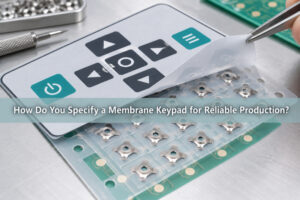
Separate physical buttons can give frequently used commands a fixed location and a distinct actuation feel. A hybrid interface uses the screen for variable information while retaining selected controls such as navigation, confirmation or adjustment on the bezel. This is a system-design choice, not a claim that every touchscreen needs a keypad.
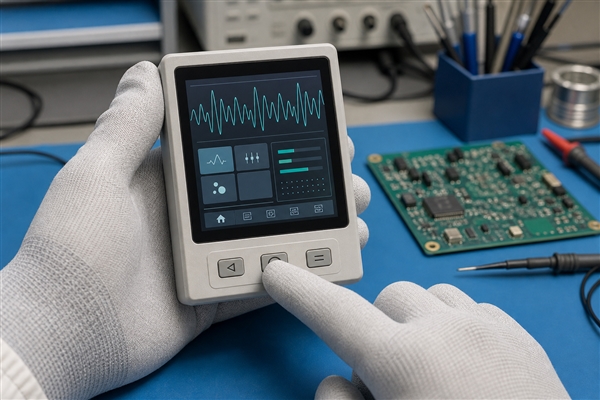
Keep the button circuit separate from touch sensing
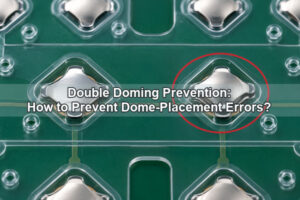
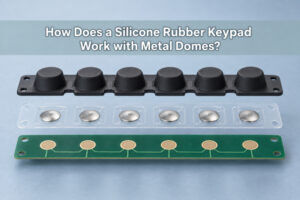
In a metal-dome key, force deflects a formed metal contact until it closes the circuit on its contact pads. The dome’s snap provides tactile feedback. It does not measure the finger’s position on the display. At EBest Circuit(Best Technology), we make custom metal dome arrays with selected dome sizes, shapes and forces positioned on a carrier to match the separate keypad layout.
Control the force path from keycap to dome
A keycap needs controlled alignment and travel so that pressing it actuates the dome rather than flexing the nearby display assembly. Our plunger dome arrays address the gap between a key and the dome. Available design examples use plunger diameters of 0.8-3.2 mm and heights of 0.1-0.40 mm; the suitable dimensions depend on the chosen dome, keycap and complete tolerance stack.
Illuminate physical keys independently
When fixed key legends need illumination, our LGF dome arrays distribute light within the keypad structure. The light-guide film can be approximately 0.125 mm thick; that is a film-layer value, not the total switch thickness. Keypad lighting must be evaluated with the actual artwork and LEDs. It is not the display backlight and does not create the capacitive touch sensor.
A physical key is not automatically a safety-rated control or a fallback if the same processor fails. Safety functions require their own architecture and validation. Likewise, neither a dome array nor a touch sensor alone establishes an enclosure’s water-ingress rating.
Conclusion
The answer to how do touch screens work starts with the sensor: capacitive systems detect changes in coupling, while resistive systems detect pressure-created contact. The controller and software complete the response. For equipment that also needs distinct physical keys, we support the metal-dome and array portion of the interface. Discuss that keypad integration with our engineering team at sales@metal-domes.com.