
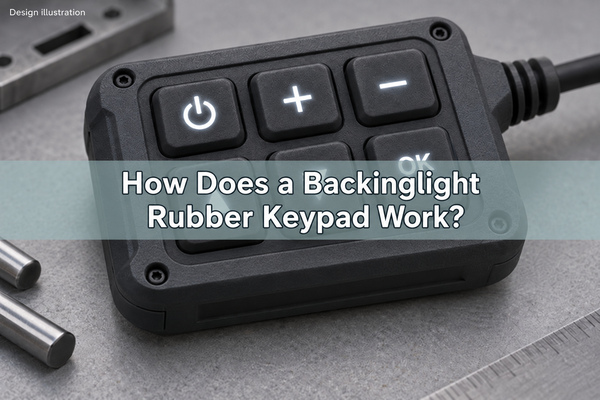
A backinglight rubber keypad uses a light-transmitting silicone body, a controlled light source and selected illuminated legends to make buttons readable in low light. The lighting and switching functions are separate: LEDs illuminate the key, while a conductive contact or a metal dome closes the circuit when pressed. A successful design keeps the symbol clear without making the key edges glow or weakening the tactile response.
At EBest Circuit(Best Technology), we supply metal domes, custom dome arrays and light guide film assemblies for tactile keypads. For a rubber keypad over a dome array, the key centers, light openings and actuator positions must agree before the circuit and enclosure are released.
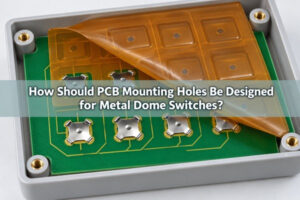
How Does Backlighting Work in a Rubber Keypad?
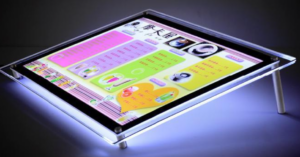
Light passes through translucent silicone and exits through an exposed legend, a molded window or a deliberately illuminated key area. An opaque coating or surrounding opaque material blocks the parts that should remain dark. A backlit rubber keypad therefore needs both a path for useful light and barriers against unwanted light.
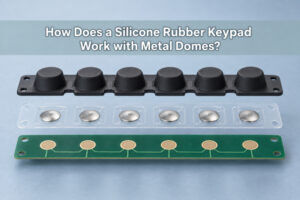
The electrical path does a different job. In a dome-based assembly, pressing the rubber actuator deflects the metal dome onto a PCB or FPC contact. The LED can remain on regardless of whether that contact is open or closed. An illuminated key is not automatically an indication that the switch has operated; that behavior requires the control electronics to drive the indicator accordingly.
Which Parts of a Key Should Illuminate?
Specify the illuminated artwork before placing the LEDs. Symbol-only illumination, an illuminated outline and a fully glowing key require different masking and light distribution. A small power symbol can be lit locally; a wide text legend may need diffusion or a larger illuminated area.
| Illumination pattern | Useful role | Detail to specify |
|---|---|---|
| Symbol or number only | Identifying individual controls | Legend size, line width, off-state appearance and allowed light leakage |
| Separate indicator window | Showing equipment status | Indicator color, viewing direction and whether its light must be isolated from the key legend |
| Illuminated outline | Locating a key boundary | Continuous appearance around corners and separation from neighboring controls |
| Full key illumination | Making a large control area visible | Brightness across the face and contrast of any printed symbol |
Show the required appearance with the backlight both off and on. A symbol that looks clear in a dark photograph may become difficult to read in daylight. Different colored legends also need to be checked through the actual silicone and coating, not only against the LED manufacturer’s color designation.
How Are Illuminated Legends Made?
A common method is to mold translucent silicone, apply an opaque surface coating, and laser-remove that coating in the shape of the legend. The exposed silicone transmits light. The laser opens the coating; it should not leave an uncontrolled groove that changes the key surface or damages the substrate.
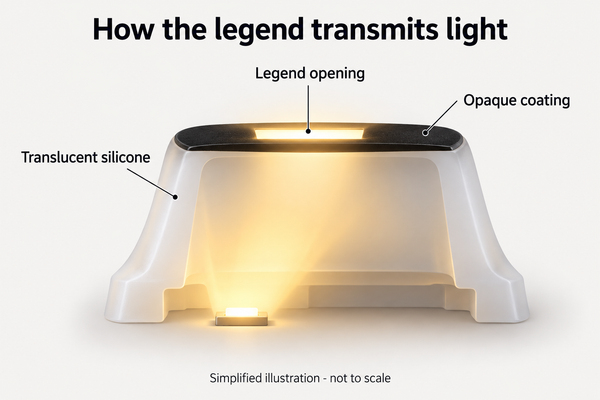
Laser-etched legends are not the only option. Molded translucent regions or appropriately designed printed windows can also define the illuminated area. Selection depends on the symbol detail, surface finish, wear exposure and required appearance when the LEDs are off.
For a backlit silicone button, inspect small enclosed shapes, narrow strokes and the edges of the exposed legend. A coating pinhole elsewhere on the key creates a bright point even if the main symbol is correct. A protective finish must be compatible with the selected coating and cleaning conditions; it is not a universal guarantee against chemicals or abrasion.
Should You Use Individual LEDs or Light Guide Film?
Individual LEDs suit independently controlled keys or small illuminated zones. A shared light guide film can distribute light from side-mounted LEDs across a wider keypad area. The choice depends on key spacing, available height, dimming requirements and whether different keys need separate colors or status control.
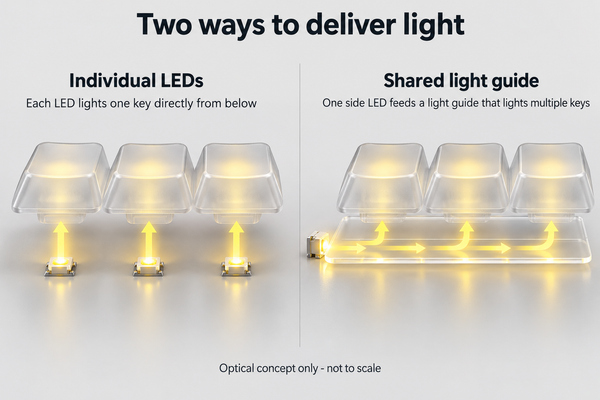
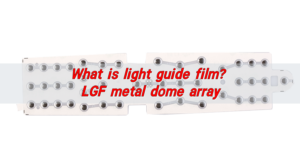
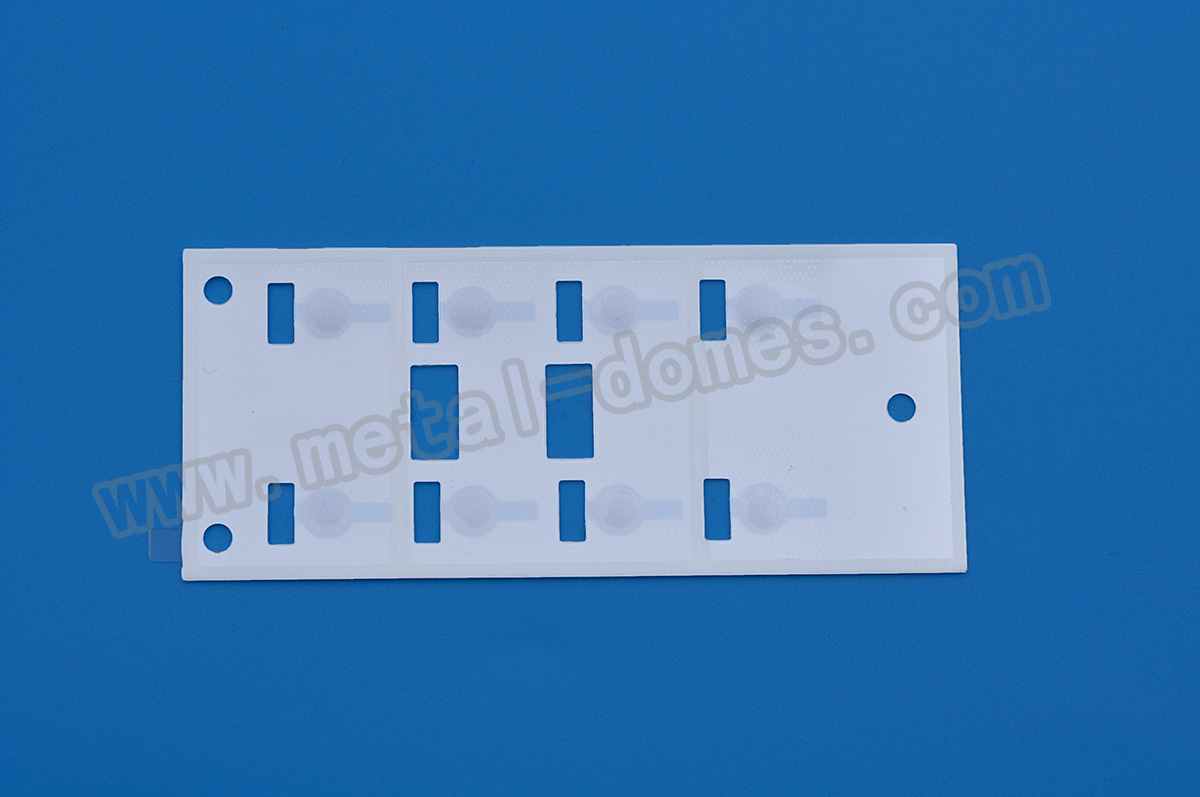
Our LGF dome arrays combine a light guide layer with a dome array. The guide’s extraction pattern distributes light toward the required regions rather than relying on the LED to illuminate every key directly. The light-entry edge, extraction areas and switch openings need to be designed together.
| Lighting arrangement | Design advantage | Main constraint |
|---|---|---|
| LED near each key | Independent control and short optical paths | Local hot spots, PCB area and component clearance |
| Shared side-lit LGF | Thin-area light distribution across several keys | Optical coupling, extraction pattern and losses around openings |
| Separate illuminated zones | Different functions can have different colors or states | Optical isolation between zones and additional routing |
Do not copy an LED count from another keypad. Increasing the illuminated area, adding opaque obstacles or reducing the allowed thickness changes the optical budget. LGF may reduce the number of LEDs in a suitable design, but it does not guarantee that one or two LEDs can illuminate every panel evenly.
Why Do Backlit Keys Have Bright Spots or Dark Areas?
Bright spots occur when the LED’s concentrated output reaches one part of the legend more directly than the rest. Dark areas can result from blocked paths, uneven extraction or greater distance from the source. Increasing current often makes the brightest region brighter without correcting the distribution.
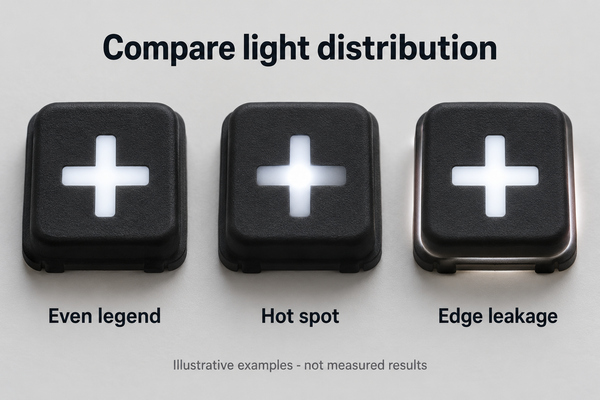
Compare the LED position with the silicone shape, legend location and internal obstructions. A metal dome, carbon contact or opaque adhesive in the path can cast a shadow. For a shared guide, an opening or compressed region can also change how much light reaches a downstream key.
Use a defined viewing position and controlled ambient light when comparing samples. If luminance uniformity is specified as minimum divided by maximum luminance, identify the measurement points and the LED drive condition. Otherwise two teams can report different ratios from the same keypad simply by measuring different areas.
How Can You Prevent Light Leakage Between Keys?
Opaque masks, suitable key coatings, internal partitions and controlled optical openings keep illumination within its intended region. A continuous translucent silicone sheet can carry stray light toward adjacent keys, so checking only the top surface does not reveal every leakage path.
Check a single illuminated key with its neighbors switched off. Then check the complete keypad at the highest intended brightness. The first condition exposes cross-talk; the second can reveal coating pinholes, glowing edges and light escaping around the enclosure.
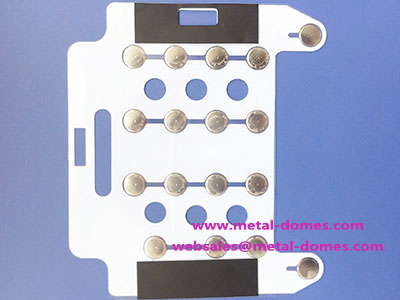
Adhesive openings must also match the optical layout. An oversized opening can expose unwanted light, while an undersized opening can obscure a legend. Our custom dome arrays allow the carrier outline and key arrangement to be coordinated with the assembly; illumination openings and keepouts belong on that drawing rather than being added after assembly.
Can a Backlit Rubber Keypad Use Metal Domes?
Yes. A molded rubber key can actuate a metal dome while an adjacent LED or an LGF supplies illumination. The actuator must reach the dome center without obstructing the required light path. A metal dome is opaque: ordinary dome material cannot be treated as a transparent light guide.
Avoid putting the only light source behind an opaque central feature and expecting it to shine straight through. Depending on the design, light can approach the legend from the side, through an offset window or through a separately engineered opening. An opening in a dome is a specific product feature, not something to add casually to a standard dome.
The rubber web, actuator geometry and dome together determine the force felt at the finger. Check the assembled force-travel response, not just the dome’s nominal operating force. A light guide or spacer that becomes compressed under the key can add preload, restrict return or change the snap sensation.
How Should the Silicone Keypad Be Attached?
The attachment must hold alignment without clamping the moving key or blocking its light path. Depending on the enclosure and stack, retention may use a captured perimeter, mechanical features or a compatible adhesive system. Adhesion to silicone requires material-specific evaluation; ordinary tape is not automatically suitable.
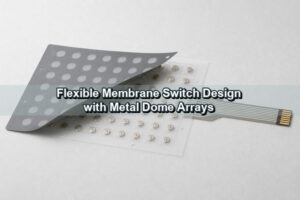
Our rubber glue dome arrays add a top adhesive layer for bonding to the keypad or the mating structure. This is an adhesive-layer option, not a complete molded rubber keypad. Select the adhesive against the actual surface, exposure and assembly requirements.
Keep locating features outside moving webs where possible. Specify the datum used to align the rubber keys, domes and optical artwork. After assembly, check the corner keys as well as the center keys: local compression or enclosure variation can change both their return and their brightness.
What Should You Check on a Backlit Keypad Prototype?
Check illumination and switching on the same assembled prototype. A loose illuminated rubber sheet may look satisfactory but behave differently when compressed against the dome carrier and enclosure.
| Prototype check | What to compare | What a failure can indicate |
|---|---|---|
| LEDs off, normal ambient light | Symbol contrast and surface appearance | Poor off-state readability or unsuitable finish |
| LEDs on, controlled ambient light | Whole-legend brightness and key-to-key consistency | LED placement, masking or extraction problems |
| One zone on, adjacent zones off | Unwanted glow outside the active zone | Optical cross-talk or insufficient shielding |
| Press and release each key | Contact operation, force and return | Misalignment, stack preload or restricted travel |
| Approved cleaning and wear exposure | Legend edges, opacity and surface changes | Coating or finish incompatibility |
| Intended dimming conditions | Readability and visible flicker in use | Unsuitable drive settings or insufficient low-level brightness |
Save the approved artwork revision, stack drawing and LED drive settings with the sample record. When a later sample differs, these records help distinguish a changed light source from a changed mechanical or coating condition.
What Information Do We Need for a Custom Keypad?
Send us the key layout, housing drawing, illuminated artwork and circuit arrangement. Mark the parts that must glow and the parts that must stay dark. Include the LED location or available lighting space, required color, operating environment, cleaning agents, prototype quantity and expected production volume.
For a dome-based design, add the desired tactile response, travel constraints and PCB or FPC contact layout. We can review the dome array and LGF requirements alongside those inputs. Do not lock the LED position independently of the actuator and legend geometry.
Email sales@metal-domes.com with your drawings and requirements for a backinglight rubber keypad. We can discuss the appropriate dome array and lighting-layer configuration for the assembly.
Backlit Rubber Keypad FAQs
Is a backlit keypad automatically waterproof?
No. Backlighting does not establish an ingress rating. The assembled enclosure, perimeter seal, openings and cable exit determine the sealing performance and need the specified verification.
Can an existing non-backlit keypad be converted?
Sometimes, but adding LEDs is not enough if the rubber is opaque or there is no clear optical path. Check material transmission, available space, legends and contact geometry before retaining the existing mold and PCB.
Does a translucent rubber backlit keypad need laser etching?
Not necessarily. Laser-opened coatings suit selected illuminated legends, while molded windows or full-key illumination may use other constructions. Choose the method against the required appearance and durability.
Is a backlit rubber keyboard the same as a dome array?
No. A rubber keyboard or keypad describes the operator-facing key structure; a dome array positions tactile switching elements underneath. An LED backlit rubber keypad may combine both, but their mechanical and electrical roles remain different.