
Switch Contact Corrosion and Wear can make a metal dome keypad miss presses even when its tactile click still feels normal. Corrosion changes the contact surface chemically; wear removes or damages it mechanically. Preventing repeat failures means checking both the dome and its PCB contact pad, controlling contamination and movement, and testing electrical closure after the expected operating and storage conditions.
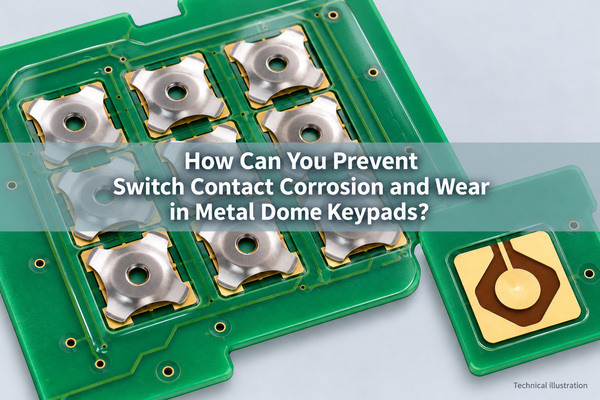
What Causes Corrosion on Metal Dome Switch Contacts?
Moisture, corrosive contaminants and residues can produce films or attack exposed metal at the dome-to-pad interface. A keypad may still snap mechanically while the small conducting areas no longer make reliable electrical contact. Electrical contact corrosion therefore cannot be ruled out simply because the button feels normal.

Preventing switch corrosion starts with finding the route into the assembly as well as the affected surface. Liquid can enter through an enclosure opening, a damaged overlay edge or an exposed vent path. Residues may already be present when the array is laminated. Condensation is different from high humidity without condensation: cooling below the dew point can place liquid directly on surfaces that were dry during assembly. Switch contact oxidation is one possible surface change, but not every insulating deposit is an oxide.
For a failed keypad, keep its storage history, cleaning-agent exposure and time in service with the sample. Several adjacent failed keys near an entry point suggest a different investigation from one heavily used key in an otherwise clean assembly. Neither pattern alone proves the cause.
How Is Contact Wear Different from Corrosion?
Contact wear results from mechanical interaction between mating surfaces. Repeated actuation, unintended rubbing or trapped particles can remove a finish or change the contact area. Corrosion is a chemical or electrochemical change. The two can combine: wear may expose underlying material, while corrosion products can interfere with later contact.
| Condition | What to examine | What it does not prove |
|---|---|---|
| Surface corrosion or tarnish | Deposits, discoloration, local attack and exposure history | Color alone does not identify the material or chemical species |
| Mechanical wear | Repeated contact tracks, scratches, coating loss and corresponding marks on the mating pad | A visible track is not automatically an electrical failure |
| Foreign contamination | Fibers, dust, adhesive transfer, oils or process residues | All residue is not corrosion |
| Mechanical fatigue | Permanent deformation, cracking, changed return or force behavior | Fatigue and surface wear are not the same failure |
Fretting corrosion involves very small repeated relative movement at a loaded contact interface. It should be considered when vibration or thermal movement is relevant, not used as a label for every worn dome. Establish whether movement occurred at the actual contact before assigning that diagnosis.
What Are the Symptoms of Worn or Corroded Switch Contacts?
Common symptoms include missed keypresses, intermittent continuity, higher closed-state resistance or a response that changes with pressing position. Some faults appear only after storage or environmental exposure. Repeatedly pressing a failed key before measurement can alter its contact condition and hide the original symptom.
| Observed behavior | Useful next check | Avoid assuming |
|---|---|---|
| Normal click but missed input | Raw switch signal and closed-contact resistance | The tactile click guarantees electrical closure |
| Works only with off-center pressure | Dome position, actuator alignment and local contact marks | More actuation force is the correct repair |
| Intermittent after humid storage | Uncleaned surface condition and moisture entry routes | Humidity alone identifies the corrosion mechanism |
| Failure after many cycles | Both contact surfaces, return behavior and cycle history | Only the dome can be worn |
| Several keys fail together | Shared trace, connector, contamination path and scan circuit | Every dome failed independently |
Compare an affected key with a known-good key using the same fixture and electrical settings. Record the unmodified result before cleaning, replacing parts or changing debounce settings.
How Do You Inspect a Metal Dome and Its PCB Pad?
Start with the assembled keypad. Record the failed key location, overlay condition, alignment and any entry path before opening it. Disconnect power and follow the product's ESD and service procedures. Preserve at least one sample in its received condition when a failure investigation is required.
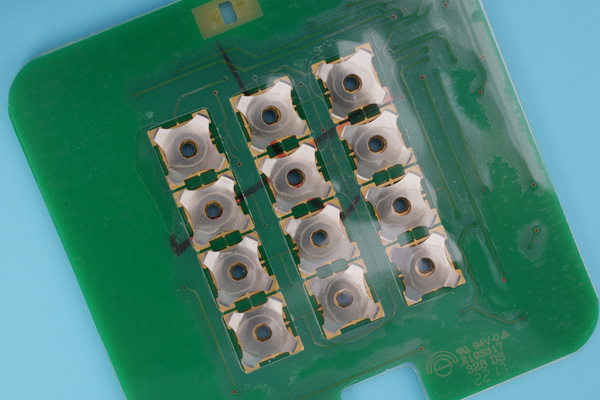
Under suitable magnification, compare the dome's contacting regions with the corresponding pad. Look for transferred residue, exposed base material, a shifted contact track or damage to the retaining film. Keep photographs of both surfaces with consistent lighting and scale. Reflections can resemble surface damage, so change the illumination angle before drawing a conclusion.
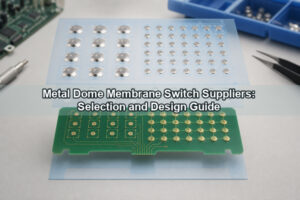
Opening a bonded array can disturb the evidence and change its mechanical behavior. The assembly photograph shows why the carrier, dome and board should be considered together; it is not a photograph of a proven corrosion failure. If deposit identification is necessary, retain the sample for appropriate materials analysis rather than identifying corrosion from color alone.
How Do You Measure Metal Dome Contact Resistance?
Use a controlled actuation fixture and a resistance measurement appropriate to the expected range. A four-wire measurement separates the current leads from the voltage-sensing leads, reducing lead-resistance error. Place the sense connections close to the switch terminals and document any board trace resistance included in the result.
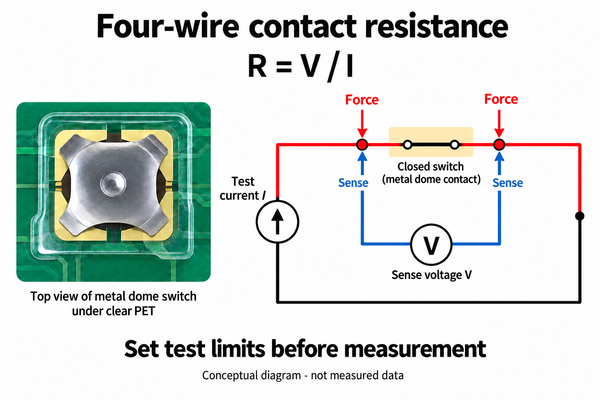
The calculation is R = V / I: measured voltage drop divided by test current. For low-level contacts, specify the test current and open-circuit voltage limit before testing. An unsuitable test stimulus can change a surface film and make a degraded contact appear better than it was. Use an agreed dry-circuit method where preserving that condition is necessary.
Record the force, actuator position, dwell time and whether the reading is from first closure or later operations. A continuity buzzer is useful for a basic open/closed check, but it is not a substitute for a resistance limit or a record of intermittent interruptions. Test the application input separately when the complaint is a missed digital event.
Can Debouncing Fix Corroded Contacts?
No. Debouncing filters brief transitions around actuation or release; it does not restore a damaged conducting surface. Increasing the debounce interval may hide some transitions, but cannot guarantee detection if the contact never reaches a valid electrical state.
Check the raw input before the software filter. With a pull-up input, excessive series resistance can stop a pressed switch from pulling the node below the specified logic-low threshold. The relevant limits come from the actual circuit, not from a universal debounce delay. Keep the surface-failure investigation separate from button debounce and switch bounce testing.
Do not add a large discharge capacitor or raise switching current to burn through contamination without reviewing the switch rating and circuit. That can change the failure mechanism instead of correcting it.
Which Contact Finishes Help Reduce Corrosion and Wear?
Choose the switch contact material, dome finish and PCB pad finish as a mating pair. Resistance to surface films, thickness, hardness, porosity and operating conditions all matter. A gold-colored pad does not establish whether it has a wear-oriented electrodeposited finish or a thin immersion finish.
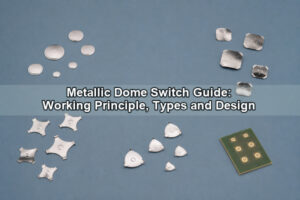
Our four-leg metal domes include stainless-steel, nickel and gold options across a 5–20 mm size range. The appropriate option depends on the selected part and the mating circuit; an available finish is not a guarantee of lifetime in every keypad.
Gold can support stable low-level contact, but a plated surface can still wear or become contaminated. Nickel and stainless steel may suit other requirements when the completed assembly meets its electrical limits. For PCB pads, compare the specified finish and thickness with the required actuation count. ENIG should not be assumed equivalent to hard gold for repeated mechanical contact.
Specify the finish on both drawings and test the pair. Changing only one surface without tracking the other makes later results difficult to interpret.
How Do Dome Arrays Help Keep Contamination Away from Contacts?
A carrier holds domes in position and limits direct handling of the contact surfaces. Its adhesive pattern, spacer and air paths also influence how contaminants might reach the dome cavity. Protection must be assessed at the assembled keypad, including its perimeter and enclosure.
Our double-layer dome arrays use a spacer beneath the dome layer with air paths for actuation. The carrier can reduce exposure, but a double-layer construction alone does not establish a waterproof or hermetic seal.
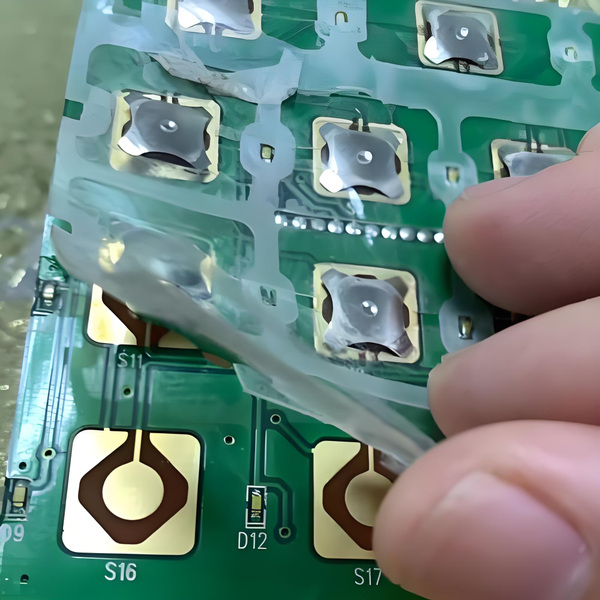
Keep adhesive away from the active contact region and control residues before lamination. Avoid touching the dome underside or pad with bare fingers. Review vent endpoints rather than blocking all vents: a trapped-air problem and an ingress problem require different solutions. Where liquid exposure is expected, assess the overlay, enclosure seal and vent routing together.
How Can Assembly Design Reduce Contact Wear?
Keep the actuator aligned with the intended pressing region and support the PCB so that the board does not become an uncontrolled spring. Excessive travel, a tilted plunger or a displaced dome can create localized loading and inconsistent contact.
Check the complete tolerance stack: button position, plunger geometry, dome placement, carrier thickness and board location. A drawing that controls each part independently can still allow an unfavorable assembled condition. Compare contact marks after cycling with the original intended geometry.
Prevent particles from becoming trapped under the dome during assembly. A harder press is not a substitute for correct placement, and hand-bending a dome to restore its feel does not establish a reliable repair. For a design change, confirm both the force–travel response and electrical performance.
Can You Clean Corroded Metal Dome Contacts?
Switch contact repair depends on what has failed. Cleaning may remove some foreign contamination, but it cannot restore missing plating or repair a fatigued dome. Preserve the original evidence first, then use only a cleaning method compatible with the PCB finish, carrier, adhesive and overlay.
Do not treat household abrasives, contact sprays or scraping as a general production repair. Abrasion can remove a thin finish; liquid can carry residues into an array or affect its adhesive. An opened carrier may also need replacement rather than reattachment.
If the approved service procedure permits cleaning, compare resistance and input behavior before and after it, then check whether the fault returns under relevant conditions. Temporary continuity is not evidence that the underlying ingress or wear problem has been removed. Replace damaged parts or assemblies according to the product's repair criteria.
How Should You Test Long-Term Contact Reliability?
Test the finished switch stack under the electrical load and mechanical arrangement it will actually use. Separate cycle wear from storage exposure, then combine them when the intended service includes both. Include the first operation after a dwell period, not only readings taken during continuous cycling.
| Test element | Record | Reason |
|---|---|---|
| Baseline | Part lot, pad finish, initial resistance and raw input behavior | Establishes the starting condition |
| Cycling | Actuation count, force, travel, position and rate | Relates wear to the actual mechanical input |
| Environmental exposure | Temperature, humidity or relevant contaminants, duration and recovery conditions | Avoids treating different exposures as interchangeable |
| Electrical checks | Test current, voltage limit, resistance and intermittent events | Makes before/after results comparable |
| Final inspection | Mating surface photographs, carrier condition and return behavior | Connects the symptom with physical evidence |
Define acceptance criteria before the test: allowable resistance, missed events, mechanical return and any permitted physical changes. Salt-spray hours do not translate directly into years of service, and a dome's cycle rating does not establish the life of an arbitrary pad and enclosure combination.
At EBest Circuit(Best Technology), we supply custom dome arrays with specified dome locations, cutouts and carrier outlines. Send the layout, mating-pad finish, electrical operating conditions, expected cycles and exposure details to sales@metal-domes.com when discussing a new array or a repeat failure. Include uncleaned sample photographs and the measured symptom so the configuration can be reviewed against the actual problem.
Switch Contact Corrosion and Wear FAQs
Does a metal dome need visible rust to have a contact problem?
No. A thin surface film or contamination can affect a low-level connection without obvious rust. Electrical results and the condition of both mating surfaces matter more than appearance alone.
Does gold plating prevent every contact failure?
No. Gold does not prevent incorrect alignment, excessive travel, contamination or wear-through of an unsuitable finish. Validate the complete dome-to-pad interface.
Why can a keypad work again after several presses?
Repeated operation can change an intermittent interface. That observation is useful evidence, but it does not identify the mechanism or establish a permanent repair. Record the first-press behavior before repeatedly actuating the key.
Should you replace the dome or the PCB?
Inspect both. A new dome cannot restore a worn pad, and a new board cannot correct a damaged carrier or fatigued dome. Use the inspection and electrical results to select the repair scope.
Preventing Switch Contact Corrosion and Wear requires a clean, compatible contact pair, controlled assembly and validation after relevant exposure. Preserve failure evidence first; then correct the identified surface, mechanical or ingress problem rather than masking the symptom with more force or a longer debounce delay.