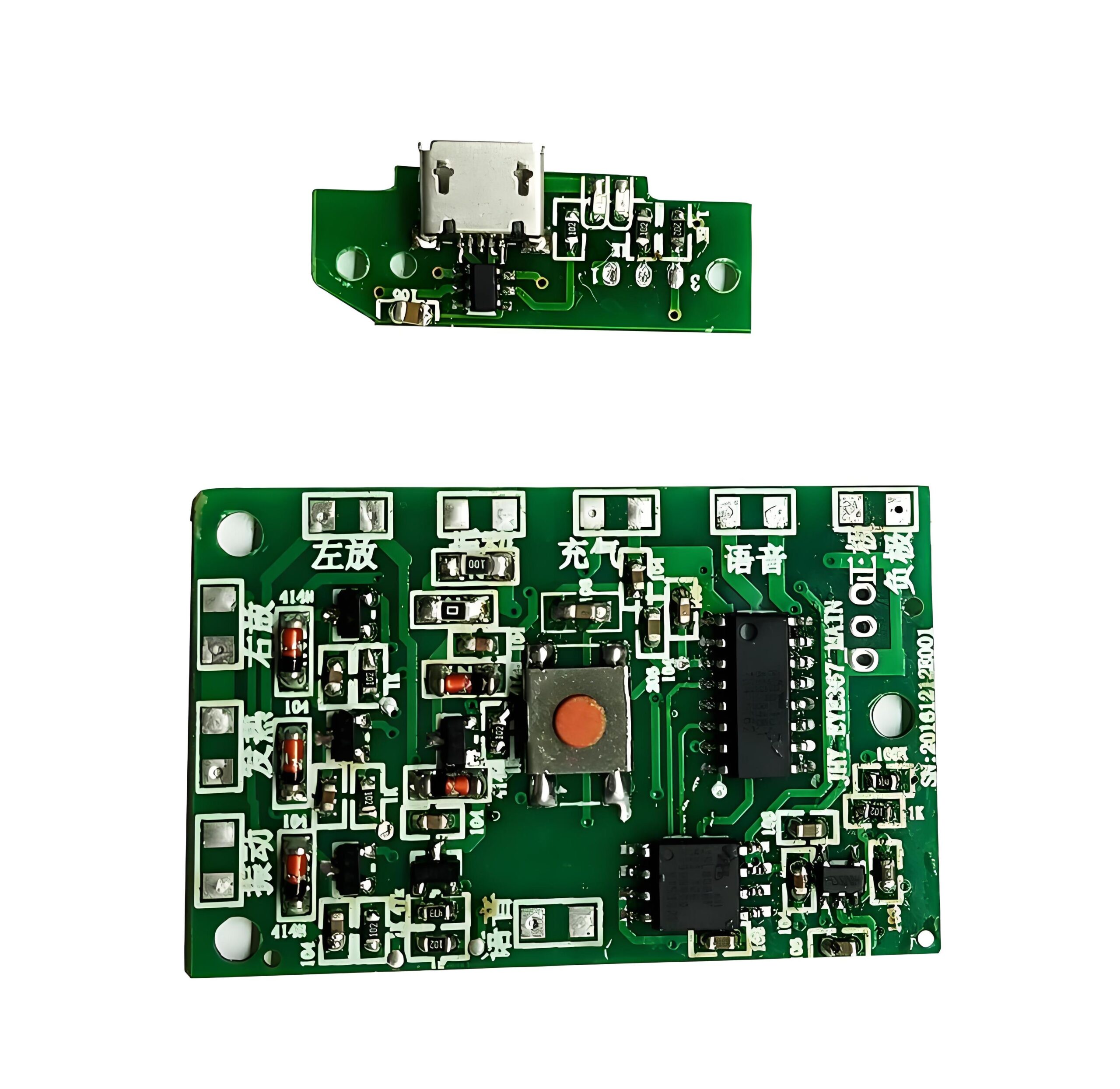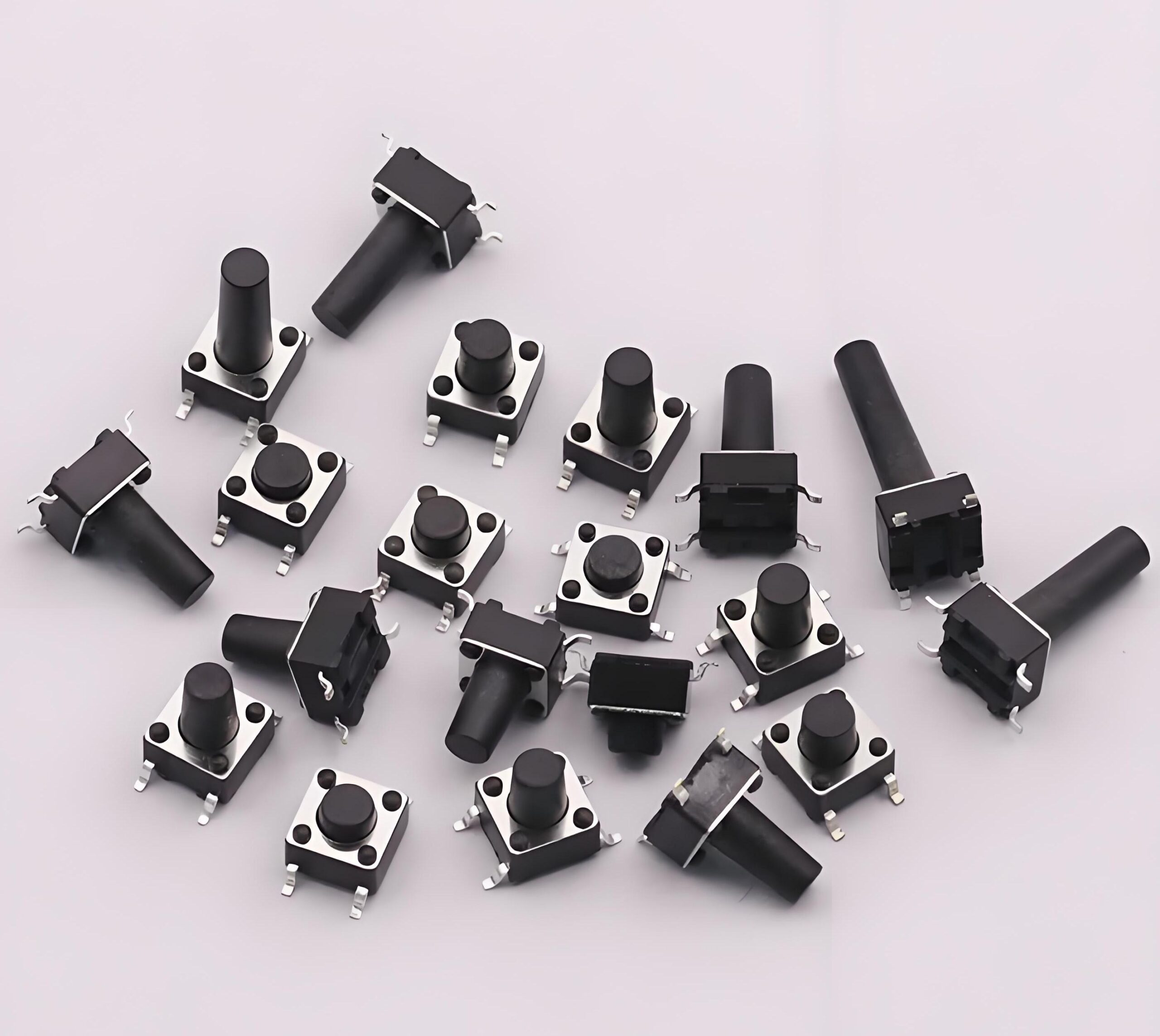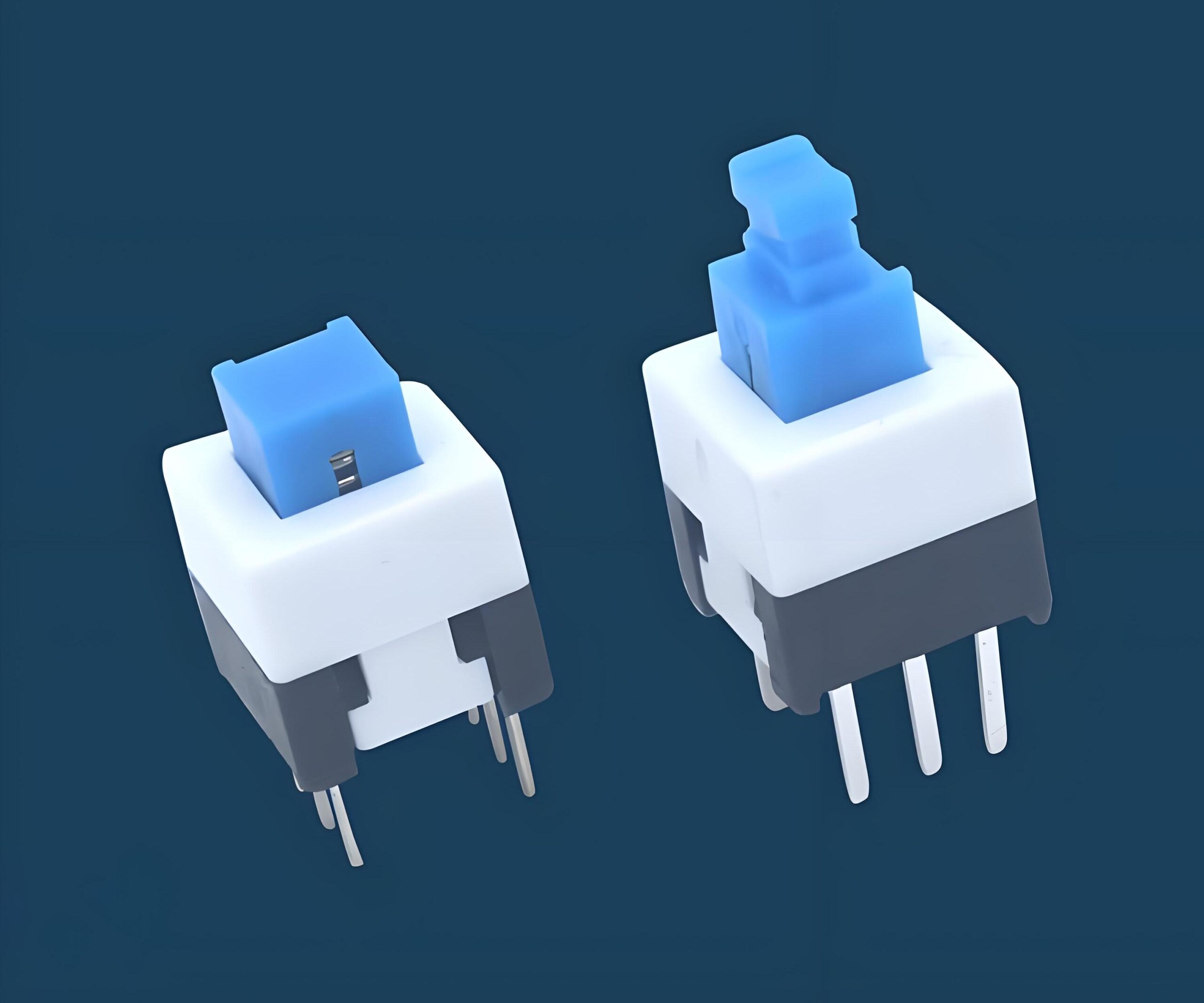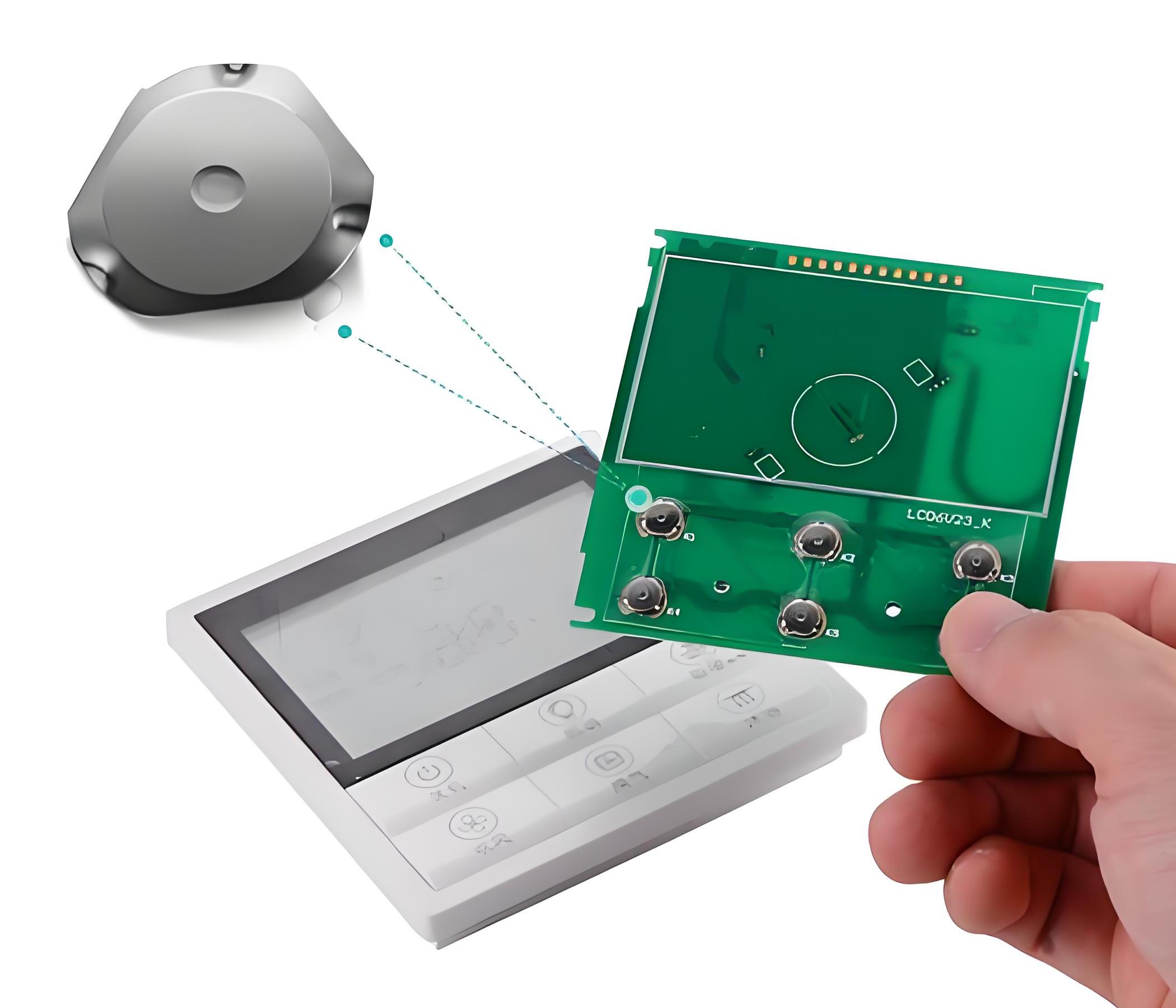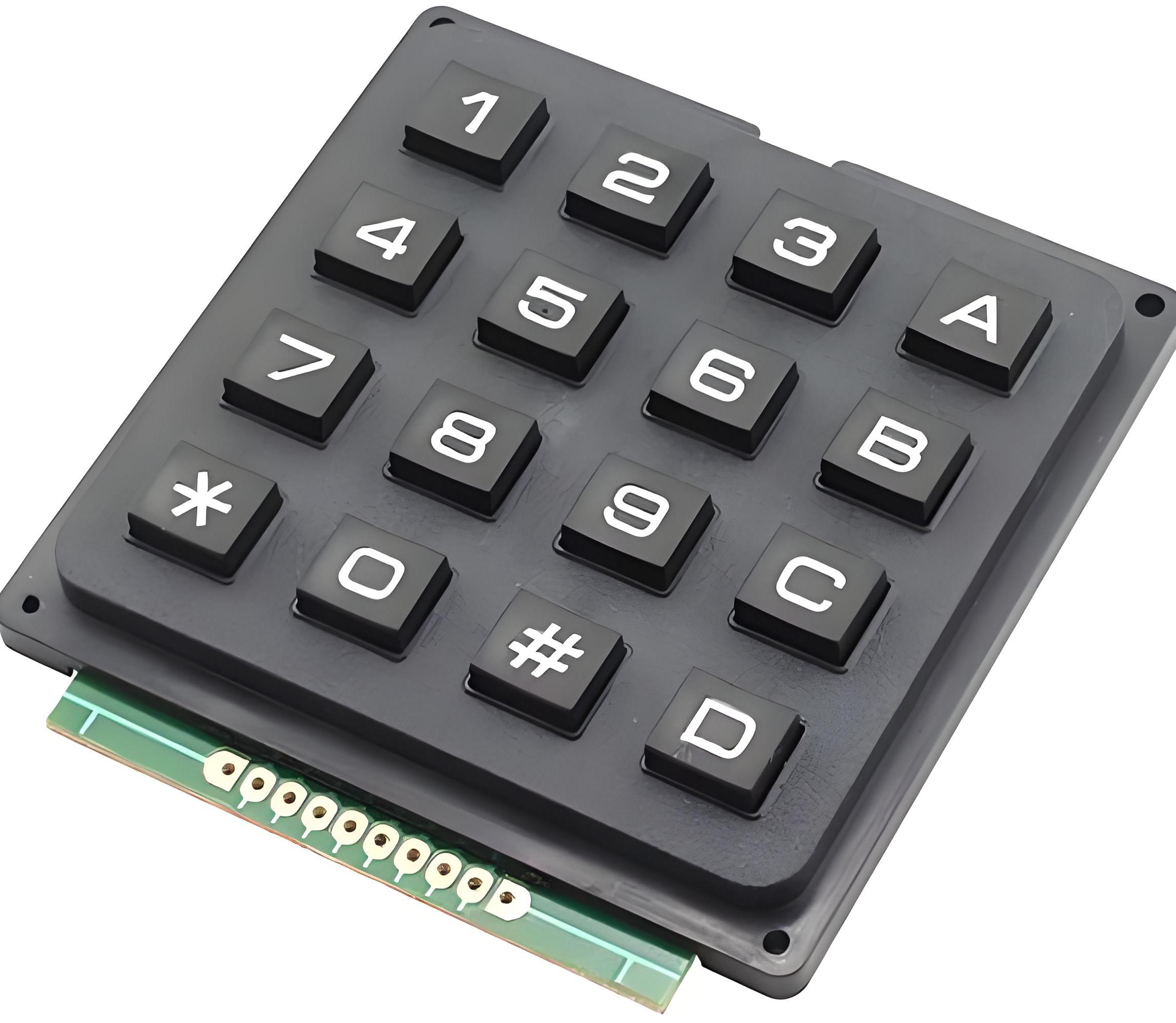

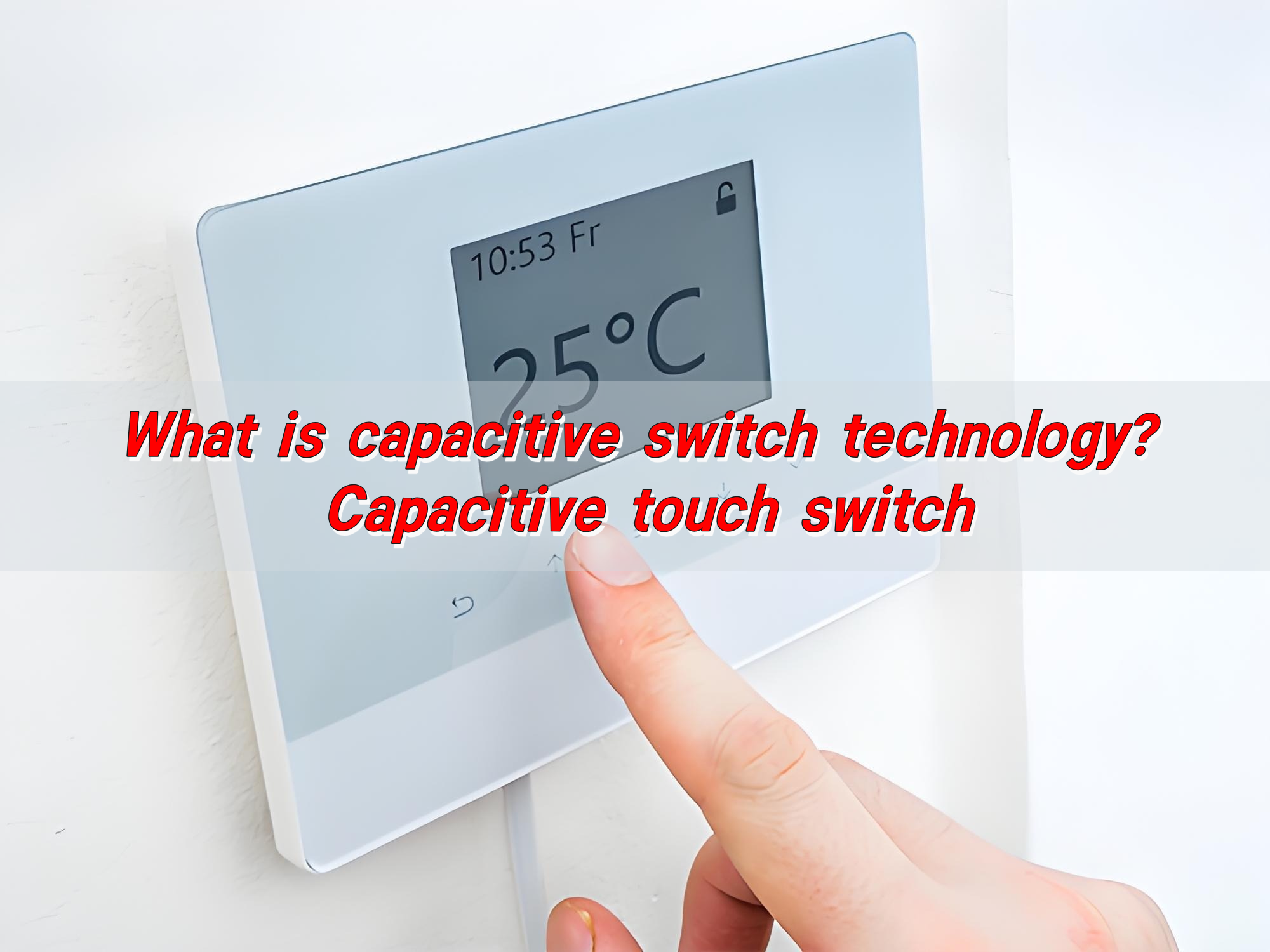
What is capacitive switch technology? Capacitive touch switch

Capacitive switch technology is based on the principle of capacitive sensing and can detect human approach or touch. It monitors the capacitance change through the sensor electrode and triggers the switch when the human body approaches. Capacitive touch switches are commonly used in mobile phones, tablets and other devices, and can provide intuitive feedback and realize contactless operation. Due to its high sensitivity and strong durability, it is widely used in smart home, industrial control and other fields.
What is capacitive switch technology? Capacitive touch switch

How does a capacitive switch work?

Capacitive switch is a type of electronic touch sensor that detects changes in capacitance to trigger an action. Unlike mechanical buttons, it doesn’t need pressure or movement. All it takes is the touch of a finger.

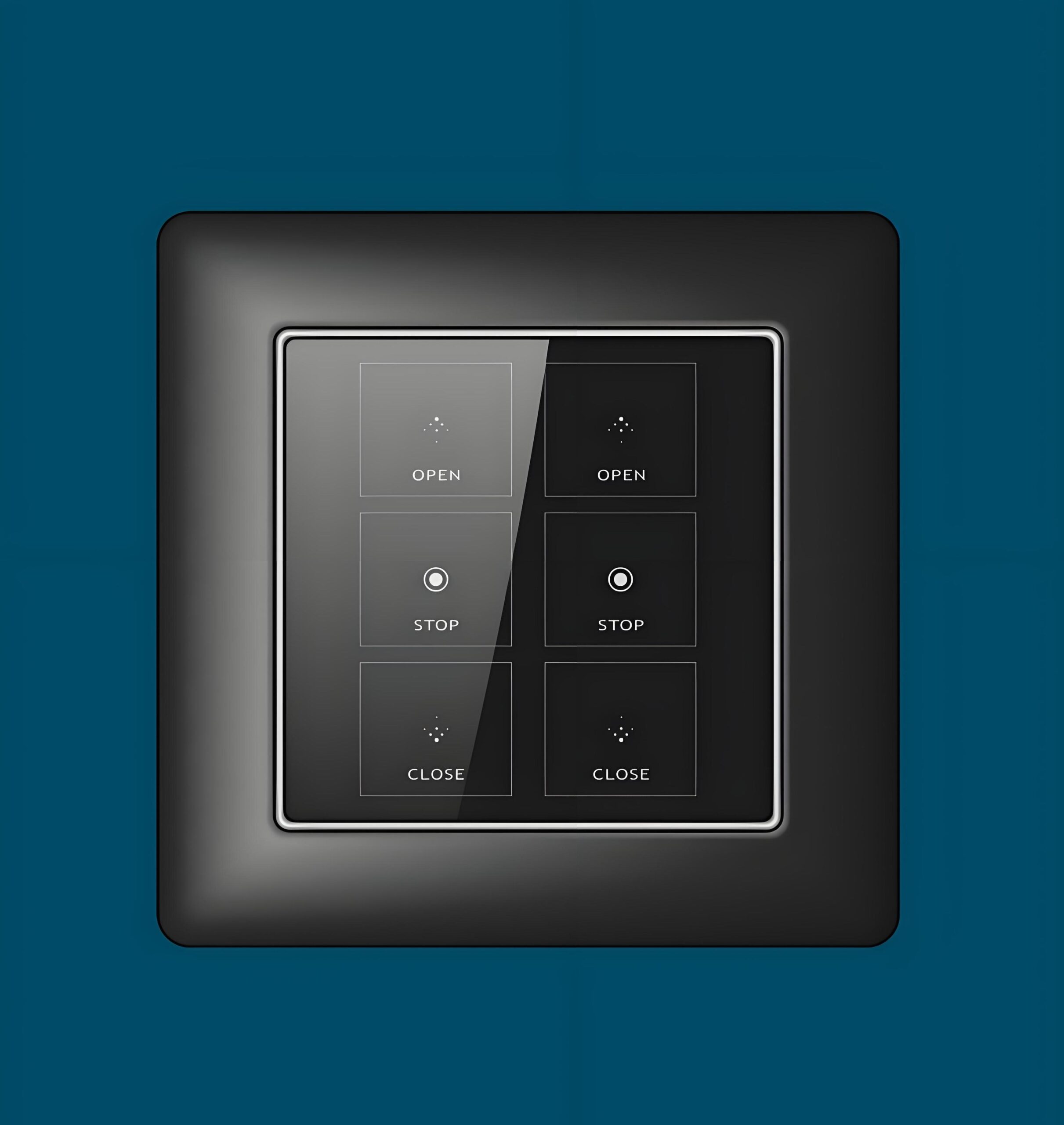
This touch doesn’t even need to be forceful. Just a light tap or even a close hover can be enough to trigger a response. There’s no wear and tear, no noise, and no bouncing like in traditional switches. The surface can remain flat, seamless, and even hidden behind glass or plastic.

Capacitive switches can be printed on flexible films or embedded under decorative surfaces. That’s what makes them so elegant and functional in modern designs.

How does a capacitive switch work?

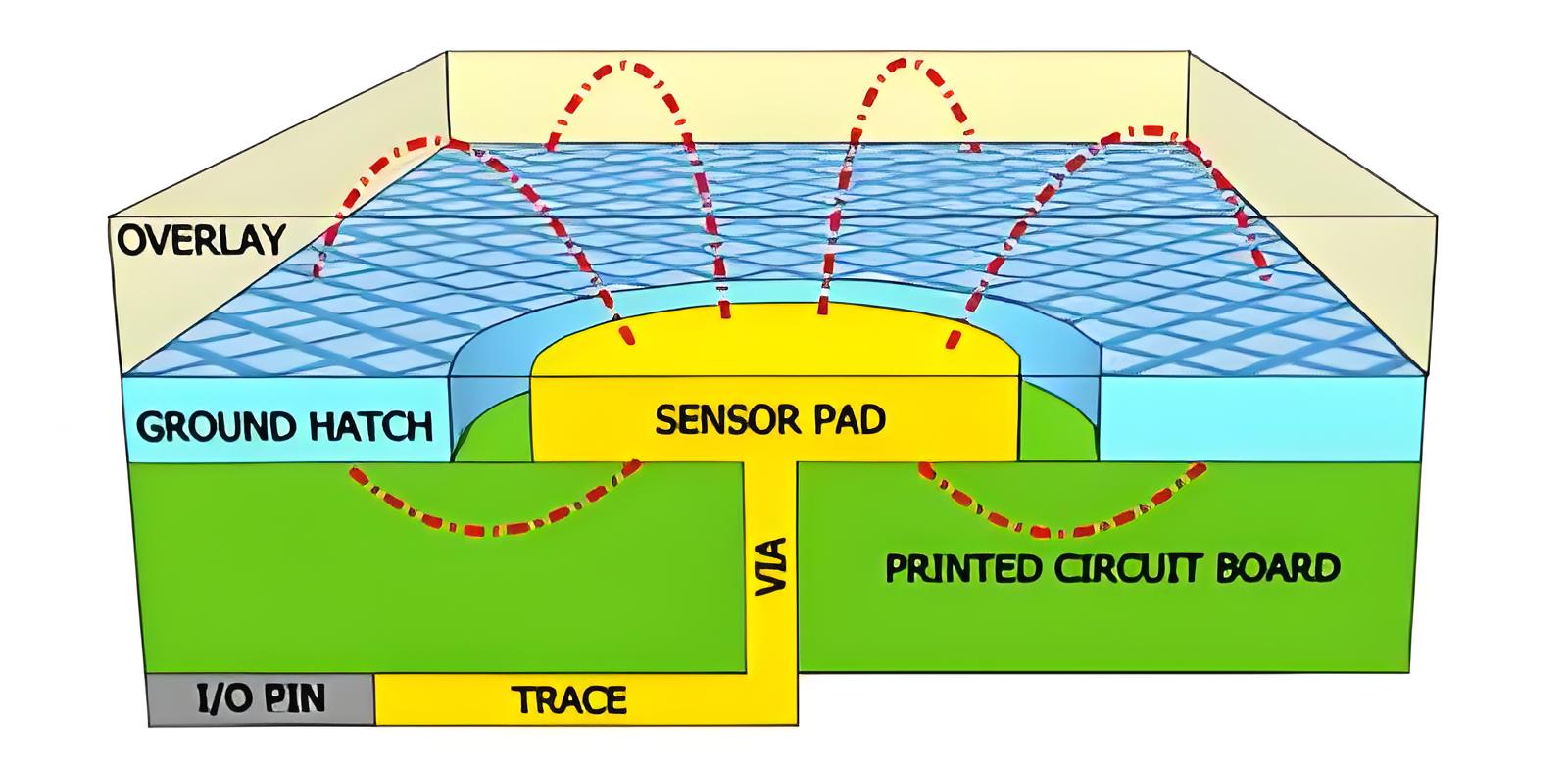
At its core, a capacitive switch detects a shift in electrical charge. The surface of the switch holds an electrical field. When a finger comes close, it disrupts that field. That disturbance changes the capacitance—the ability to store charge—and the system instantly knows you’ve made contact.
What is capacitive switch technology? Capacitive touch switch

Human skin conducts electricity slightly, enough to influence the switch’s sensitive circuits. No springs, no levers. That’s why these switches last longer and require almost no maintenance.

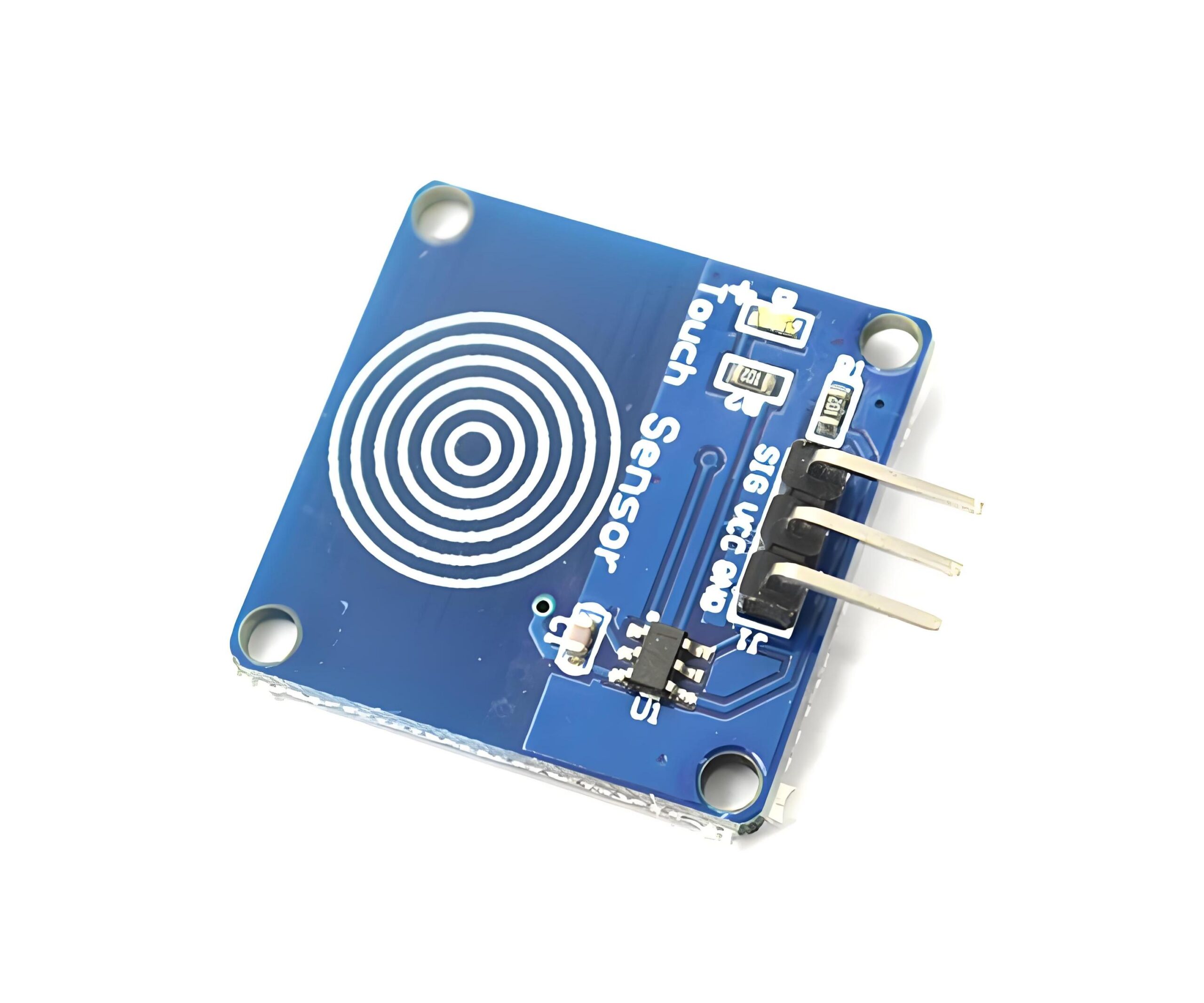
What is a capacitive touch switch sensor?

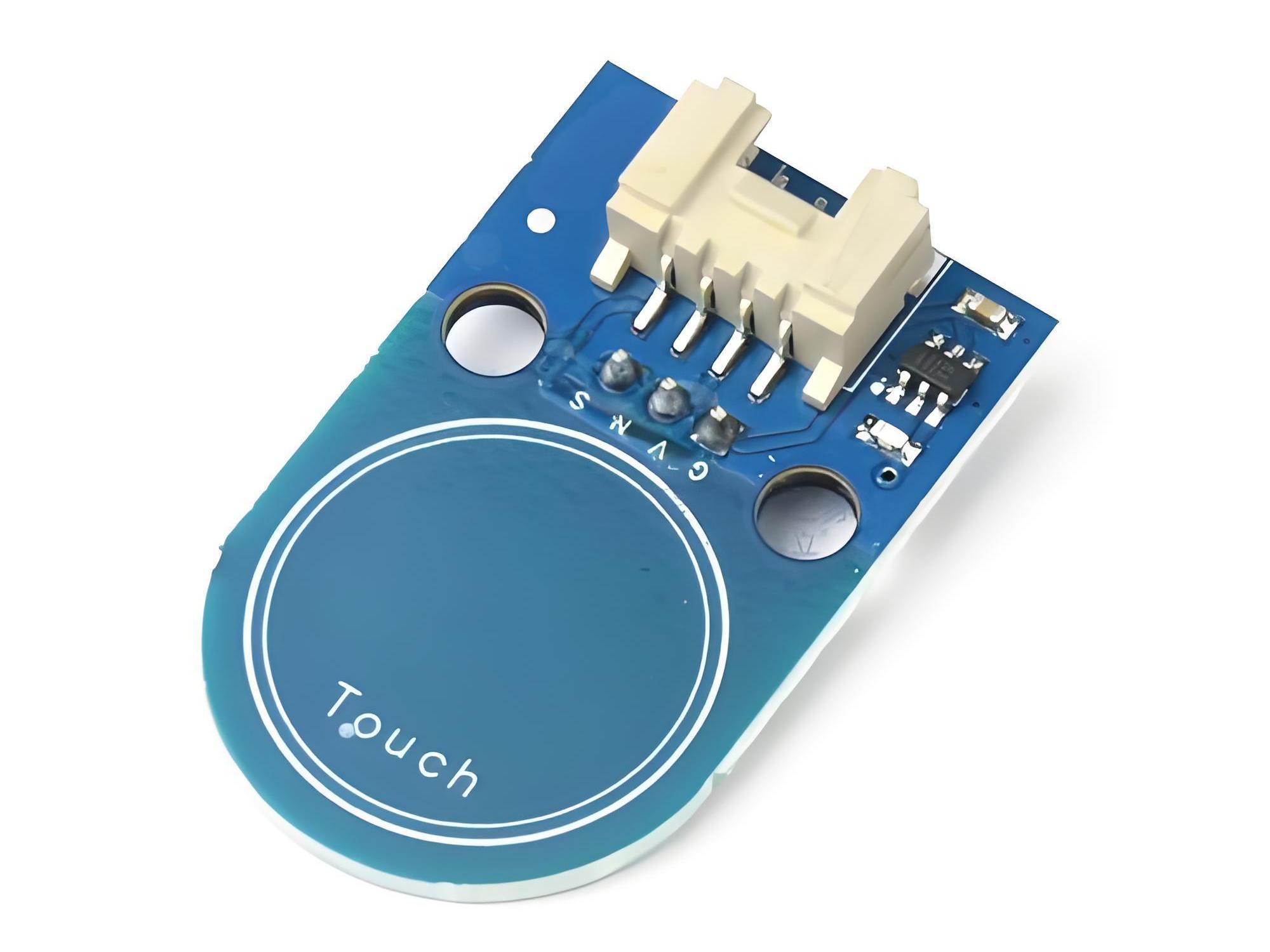
Capacitive touch switch sensor is the heart of the switch. It’s the part that detects when and where you touch.

These sensors can come in different forms—etched onto a circuit board, printed on a flexible film, or integrated into glass or plastic surfaces. Some sensors are designed for single touches, while others can detect gestures, multi-touch inputs, or even proximity.

They are precise, fast, and reliable. They allow for smooth user experiences and eliminate the frustration of buttons that don’t respond. Sensors can also be tuned for different levels of sensitivity, making them suitable for all types of applications.

In smart homes, cars, medical devices, and wearable tech, capacitive touch switch sensors bring a premium feel and intuitive control.

Where is capacitive switch technology used?

Capacitive switch technology is used everywhere. It’s not just for phones or tablets. Today, it appears in home appliances, industrial machinery, medical devices, automotive dashboards, vending machines, and more.

You’ll find it in:

  • Smartphones: Every touch on your phone screen uses capacitive technology.
  • Kitchen appliances: Microwaves and ovens with touch panels often rely on capacitive switches.
  • Elevators: Modern elevator panels often use capacitive touch sensors.
  • Medical equipment: Sterile environments need smooth, wipeable surfaces, which capacitive switches provide.
  • Automotive interiors: Sleek car controls now avoid mechanical buttons in favor of capacitive panels.
  • Fitness gear: Touch-sensitive buttons are showing up in wearables and exercise machines.

The technology is flexible and can be used on flat, curved, rigid, or flexible surfaces.

Why choose a capacitive touch switch over mechanical?

Capacitive touch switches bring a long list of advantages. They look better, feel better, and work better in many ways.

  • No moving parts: Less chance of failure, no mechanical fatigue.
  • Seamless design: Perfect for sleek, minimalist products.
  • Easier to clean: No crevices or buttons means fewer germs and smoother surfaces.
  • Longer life: Outlasts mechanical switches in both function and form.
  • Fast response: Instant reaction with just a tap.
  • Silent operation: No click sounds, no vibration—just smooth interaction.
  • Customizable: Can be printed, shaped, or hidden behind material layers.
What is capacitive switch technology? Capacitive touch switch

These benefits are not just functional. It makes products more desirable, more premium, and more innovative.

How sensitive are capacitive touch switches?

Capacitive touch switches are highly sensitive—but in a good way. They can detect a light finger tap or even proximity, depending on the configuration.

Advanced systems even detect gestures, like swipes and pinches. Some can even differentiate between touch intensity levels. No accidental triggers. No missed touches. Just smooth, intelligent response every time.

Is capacitive touch technology waterproof?

Yes, capacitive touch technology can be made waterproof. Because there are no moving parts, the switch can be fully sealed behind a protective layer.

Designers often use glass, polycarbonate, or acrylic overlays. These are tough, transparent, and easy to seal. With the right materials, the switch can resist water, dust, oil, and even chemicals.

That’s why you’ll find capacitive switches in outdoor equipment, marine controls, and food processing tools. Even when it rains or the area is washed down, the switch stays protected and working.

Some designs work even when the surface is wet or when the user wears gloves. That makes them perfect for environments where traditional buttons fail.

How do you install a capacitive touch switch?

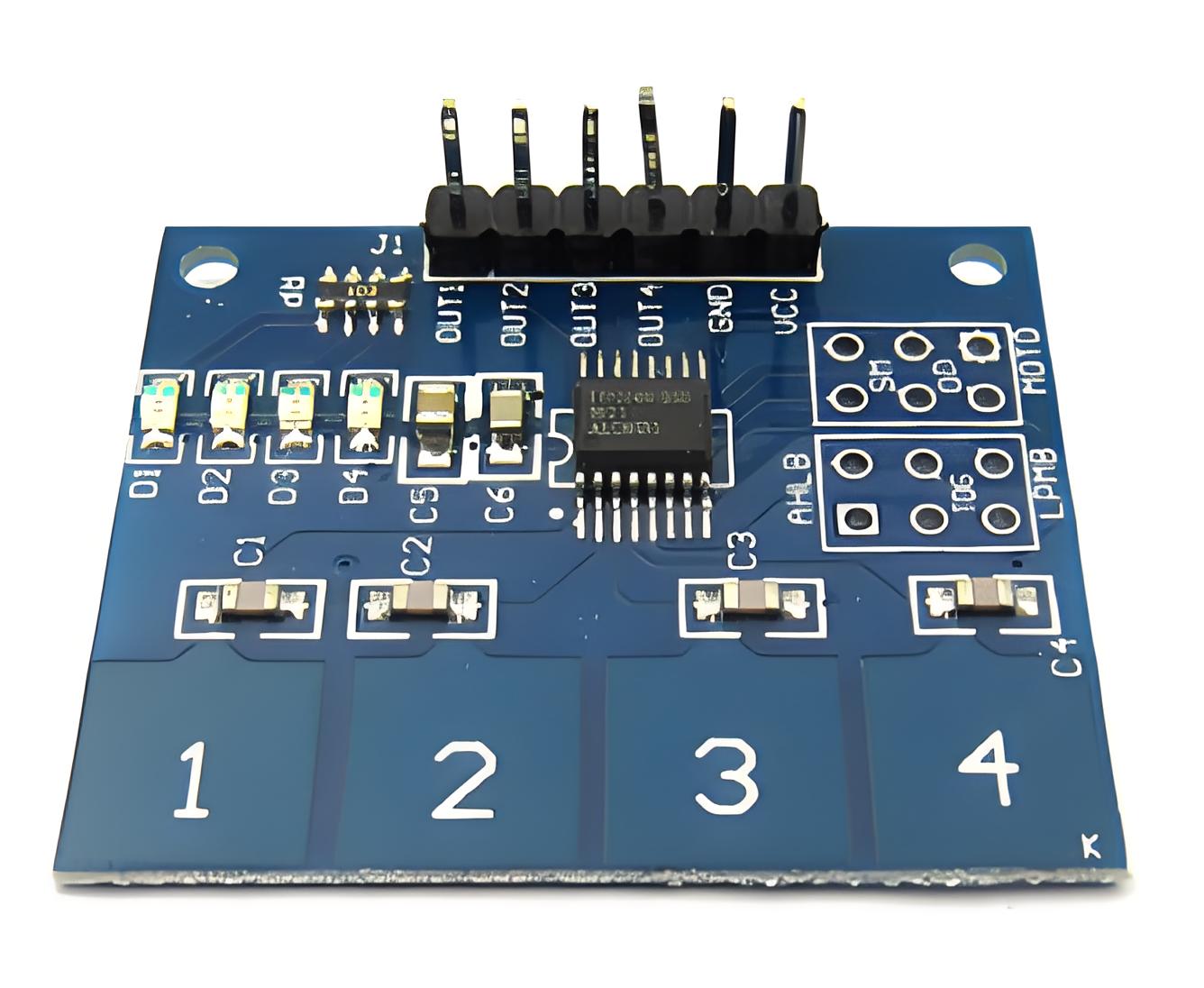
Installing a capacitive touch switch is simple compared to mechanical designs. The switch is often a flat circuit or sensor sheet. You place it behind a panel, connect it to the control board, and it’s ready.
What is capacitive switch technology? Capacitive touch switch

Here’s a basic idea:

Prepare the surface: Glass, plastic, or film can be used.

Position the sensor: It sticks or mounts behind the surface.

Connect to a controller: This reads the touch and sends signals.

Test the switch: Make sure sensitivity and area match your needs.

Seal the unit: For waterproof or dustproof protection.

You don’t need deep enclosures or mechanical supports. The design stays thin and light. This is great for modern devices that require a slim profile.

Conclusion:

Capacitive switch technology is fast, clean and reliable. With no moving parts, it is more durable than traditional switches. The smooth, sealed surface is easier to clean and perfect for stylish designs.

From smartphones and appliances to medical tools and industrial machines, capacitive switches are everywhere. They sense your touch instantly and offer a premium feel. Whether you need beauty, performance, or durability—this technology delivers it all.

Want to know more about how capacitive switch technology can transform your product? Contact us at sales@metal-domes.com
Posted in FAQ, Others | Tagged , , , , | Comments Off on What is capacitive switch technology? Capacitive touch switch

SUS301 304: What is the Difference? Which is Better?

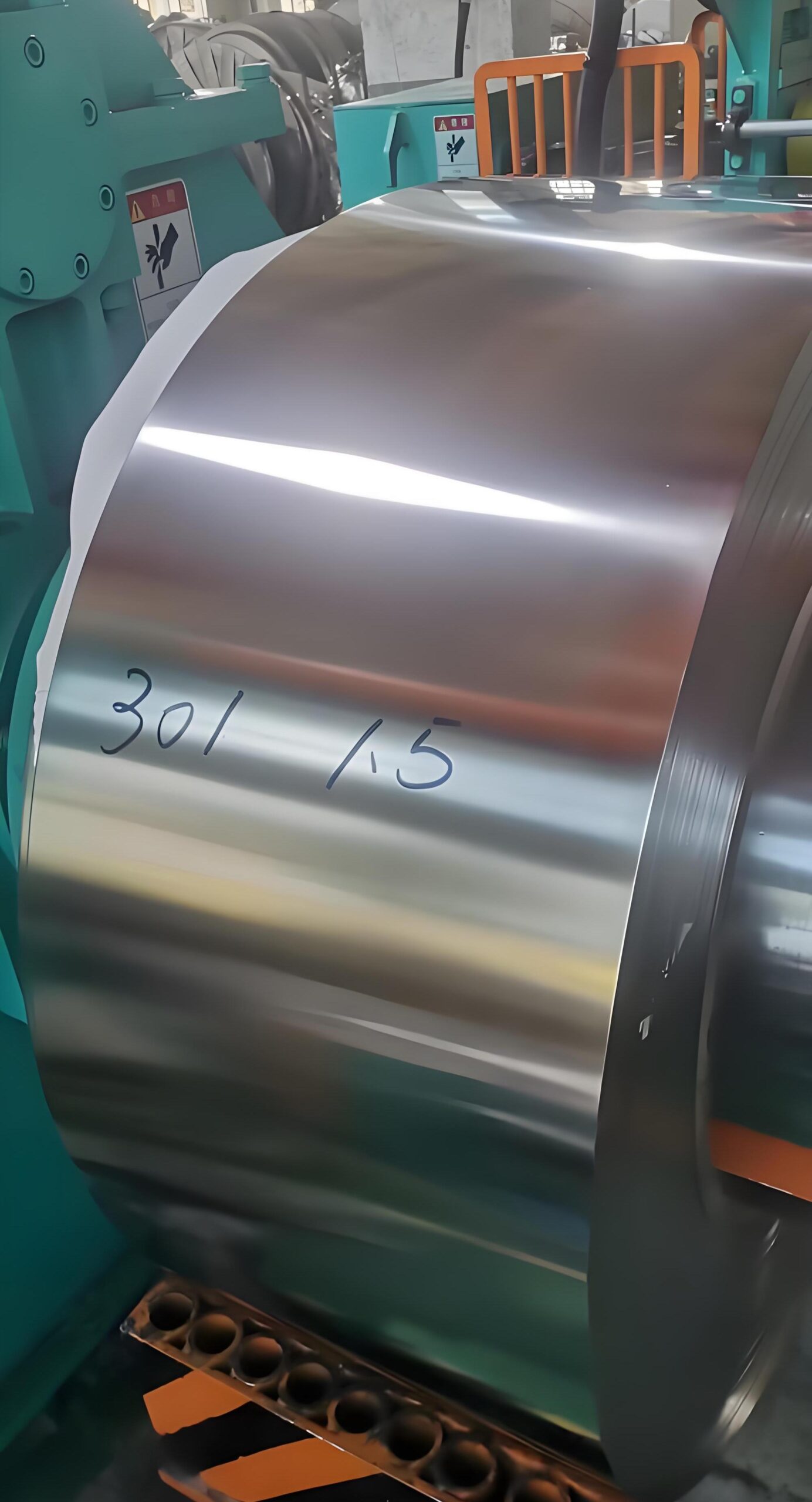
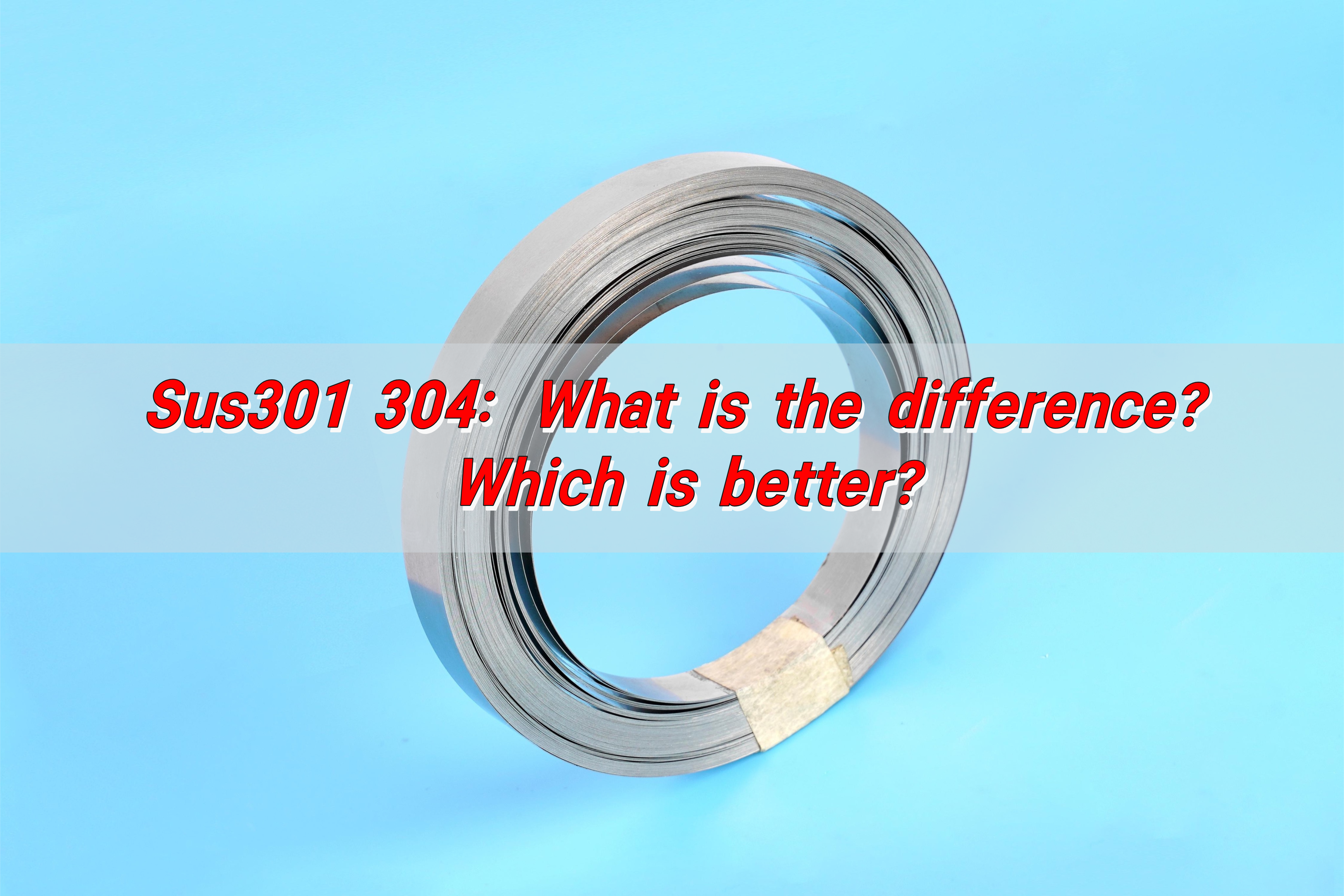
SUS301 and SUS304 are common stainless steel materials. SUS301 contains 16-18% chromium and 6-8% nickel, has high strength and good elasticity, and is suitable for making springs and fasteners. SUS304 contains 18-20% chromium and 8-10.5% nickel, has strong corrosion resistance and good ductility, and is suitable for humid environments and scenes that require welding. The choice depends on the application requirements: SUS301 is suitable for dry environments that require strength and elasticity, while SUS304 is suitable for complex environments that require high corrosion resistance.

SUS301 304: What is the Difference? Which is Better?

What is SUS301 material?

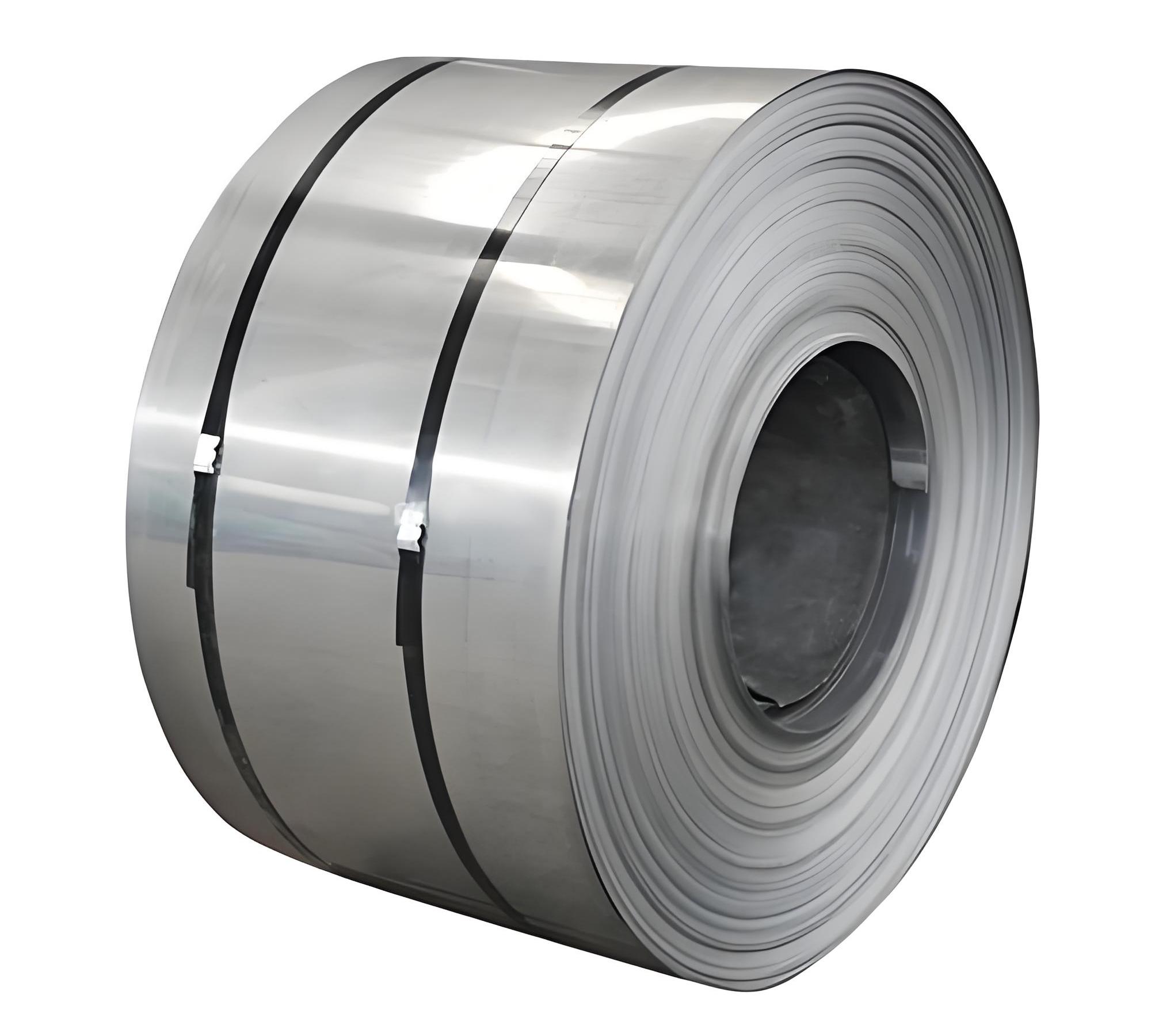
SUS301 is a type of austenitic stainless steel known for its high strength and flexibility. It contains lower nickel content than SUS304, which allows it to achieve higher strength through cold working. This means the more you bend or roll it, the tougher it becomes. Its typical composition includes 16–18% chromium and 6–8% nickel, which offers moderate corrosion resistance and excellent mechanical properties.

SUS301 is not just strong—it is also lightweight and formable. This makes it ideal for parts that require repeated flexing, such as springs, clips, and metal domes. It can withstand repeated use without losing shape. Its elasticity and fatigue resistance are two of the biggest reasons it’s used in electronic switches and precision hardware.

It’s also important to note that SUS301 is magnetic in all conditions. This can be useful in applications where magnetic properties are required.

What does SUS304 mean?

SUS304 is the most commonly used stainless steel in the world. Often referred to as 18/8 stainless steel, it contains 18% chromium and 8% nickel. This specific blend makes it highly resistant to rust and oxidation, especially in humid or chemical-rich environments.

The material is popular for its combination of formability, weldability, and long-term durability. You’ll find it in kitchen appliances, food processing equipment, chemical containers, and medical tools. Its bright surface and non-corrosive nature make it a go-to material for industries that demand hygiene and a clean appearance.

SUS304 is non-magnetic in its annealed state, but may become slightly magnetic after cold working. This characteristic makes it especially suitable for decorative parts and machinery with sensitive electronics.

Is SUS304 stainless steel good quality?

Yes, SUS304 is considered a high-quality stainless steel by industry standards. Its wide use in critical industries like food, medical, and construction speaks volumes about its reliability. It’s known for its strong resistance to chemicals, acids, and moisture.

What makes it even more appealing is its balance. It is not the hardest material, but it’s strong enough. It’s not the most flexible, but it bends well. It resists rust, cleans easily, and maintains its appearance over time.

SUS301 304: What is the Difference? Which is Better?

If you’re looking for a material that offers a clean look, is easy to maintain, and performs well, SUS304 is a solid choice.

What is SUS304 material standard?

SUS304 is defined under the Japanese Industrial Standard (JIS G4303). This specification outlines its chemical composition, mechanical properties, and tolerance limits.

International equivalents of SUS304 include:

  • AISI 304 (American standard)
  • DIN 1.4301 (German standard)
  • EN X5CrNi18-10 (European standard)

Each standard reflects the same basic chemistry but may differ slightly in tolerances or testing procedures. The global acceptance of this grade confirms its strong performance across various regulations.

What are the weakness of 304 stainless steel?

Although SUS304 is versatile and reliable, it does have a few weak points. The most notable is its susceptibility to chloride corrosion. In environments with high salt levels, like marine areas or places with de-icing salts, SUS304 may pit or corrode over time.

It also does not gain strength through heat treatment. So for applications that demand high mechanical strength, it may fall short unless cold worked. Its yield strength is lower compared to SUS301, which limits its use in high-stress or dynamic components.

Another downside is its price. While it’s more affordable than exotic alloys, it’s still more expensive than basic carbon steels, especially when high volumes are needed.

What is the toughest stainless steel?

Toughness is not just about resistance to breakage—it’s about handling stress and strain without failure. In this comparison, SUS301 stands out. It becomes significantly tougher through cold working, which enhances its mechanical properties without adding weight.

In thin-walled components or flexing parts like metal domes, SUS301 delivers superior toughness. It can absorb energy, snap back into shape, and repeat this action thousands of times without fatigue.

SUS301 304: What is the Difference? Which is Better?

That’s why it is used in precision electronic devices, switches, and flexible mechanical parts. If toughness under repetitive stress is your top requirement, SUS301 is the better choice.

What is the difference between SS and SUS?

SS and SUS refer to stainless steel, but their usage depends on geography and standards. “SS” stands for Stainless Steel and is commonly used under the American Iron and Steel Institute (AISI). “SUS” stands for Steel Use Stainless, a term used in the Japanese Industrial Standards (JIS).

The difference lies in naming, not material. For example:

  • AISI 304 = SS304
  • JIS G4303 = SUS304

They refer to the same alloy but follow different national standards. When importing or exporting materials, checking both names ensures you’re working with the correct grade.

Which is better SUS304 or SS304?

Technically, SUS304 and SS304 are the same material, just listed under different standards. If you’re buying from Japan or Asian countries, SUS304 is the name you’ll see. If sourcing from the U.S. or Europe, you’ll likely see SS304.

The choice comes down to certification, supplier reliability, and end-use. For high-performance or export-focused products, verifying compliance with multiple standards is a smart move.

For metal dome applications, where performance matters more than labeling, both offer consistent quality—as long as they meet the proper standard.

What is the material of metal dome?

The ideal material for metal domes is SUS301 stainless steel. Because these small, tactile components must handle constant pressure, flexing, and quick rebound. SUS301 delivers all of this. Its excellent elastic recovery and high fatigue resistance make it perfect for these functions.

Unlike SUS304, SUS301 can be cold worked to improve strength and springiness without becoming brittle. This is critical for components that need to snap back to their original shape every single time.

SUS301 304: What is the Difference? Which is Better?

SUS304, while strong and corrosion-resistant, lacks the necessary flexibility and snap force needed in dome applications. Therefore, if you’re manufacturing membrane switches or precision buttons, SUS301 is the superior choice.

Conclusion:

SUS301 and SUS304 are both excellent stainless steels—but they serve different purposes. SUS301 is strong, elastic, and ideal for moving parts like metal domes. SUS304 is corrosion-resistant, stable, and great for long-lasting structural use.

If your application demands flexibility and mechanical strength, choose SUS301. If it requires durability and cleanliness, SUS304 is your answer.

For professional advice and high-quality metal dome materials, contact us today: sales@metal-domes.com

Posted in FAQ, metal dome related, Metal Domes | Tagged , , , , | Comments Off on SUS301 304: What is the Difference? Which is Better?

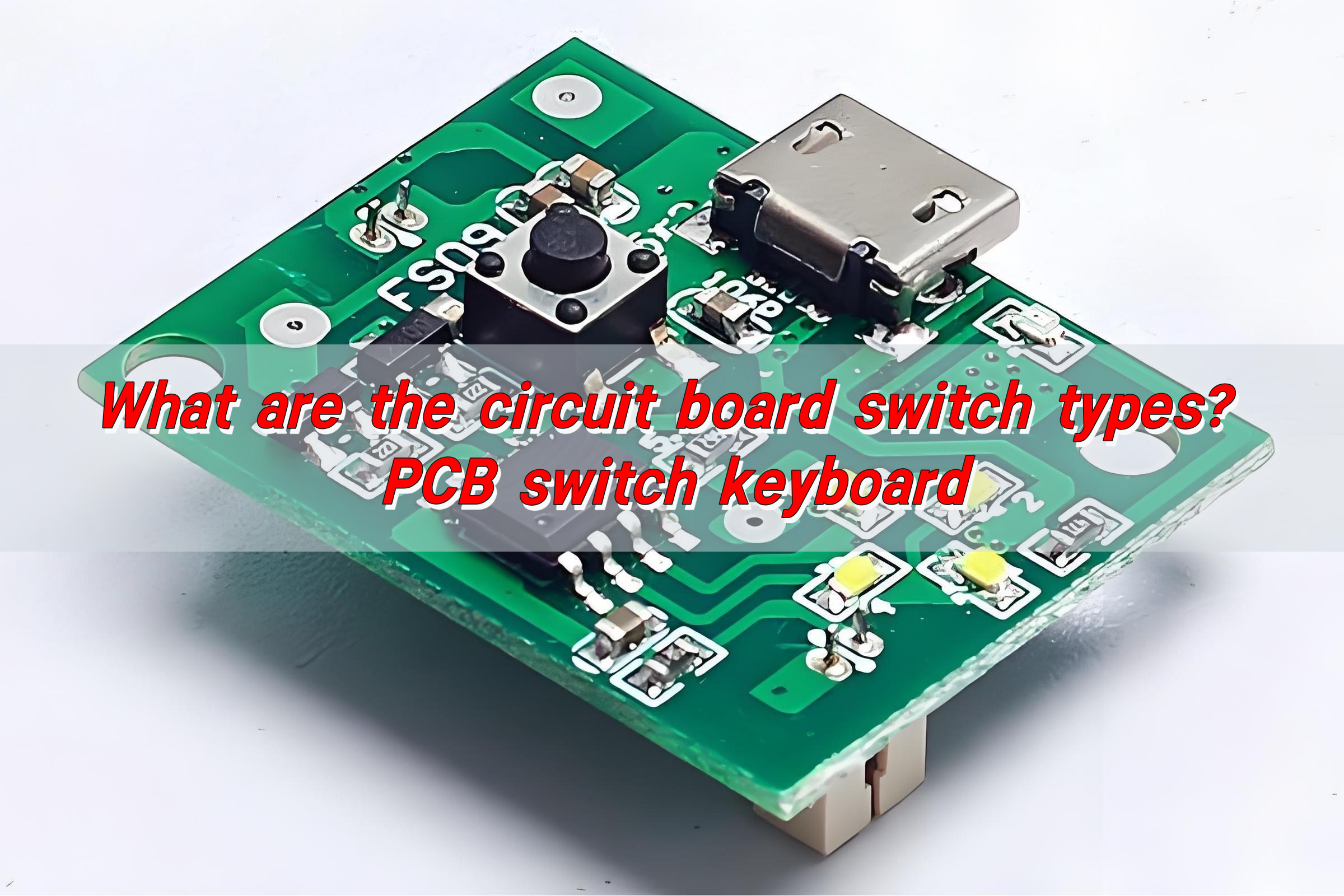
What are the circuit board switch types? PCB switch keyboard

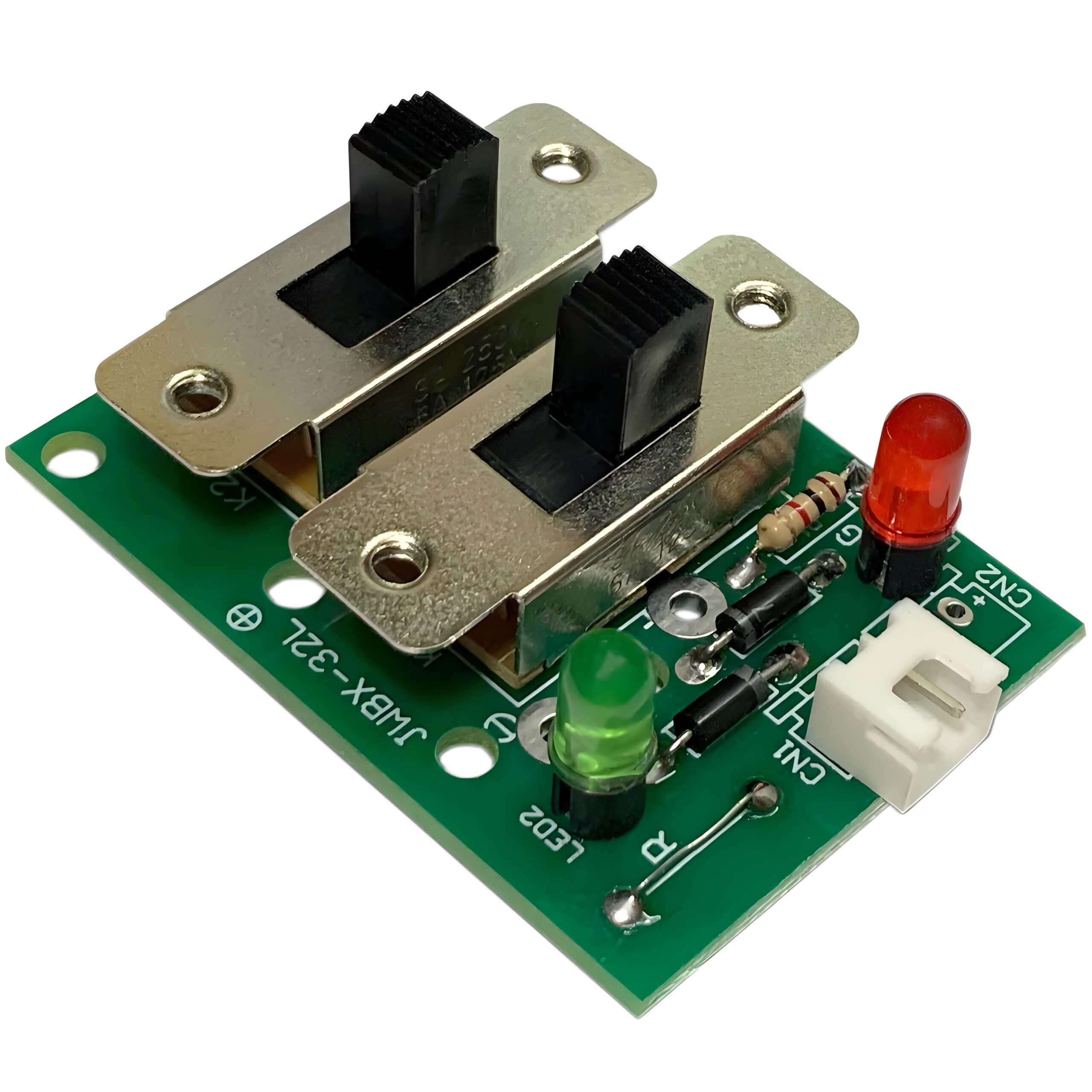
There are many types of circuit board switches, including toggle switches (toggle to switch on and off, commonly used in small appliances), push button switches (press to trigger, commonly used in remote controls), and touch switches (small size, conductive contacts, suitable for precision devices such as mobile phones). These switches have become the basic components for electronic equipment circuit control with their simple structure and clear functions.

What is circuit switch?

Circuit switch is a device that opens or closes an electrical circuit. It either allows current to flow or stops it. In a printed circuit board (PCB), switches are often mounted directly onto the board itself. These are known as PCB switches.

They come in various forms—slide, toggle, push-button, membrane, tactile, dome—and each serves a different purpose. They may turn a device on or off, adjust a setting, or act as an interface for the user.

What are the circuit board switch types?

Different types serve different needs. Their simple design makes them cost-effective and easy to install.

  • Push-Button Switches: You press them, and they complete a circuit. Release them, and the circuit breaks. Found in calculators, remote controls, and more.
  • Toggle Switches: Known for their solid “snap” feel, toggle switches flip between two or more positions. You see them in power tools, lighting systems, and control panels.
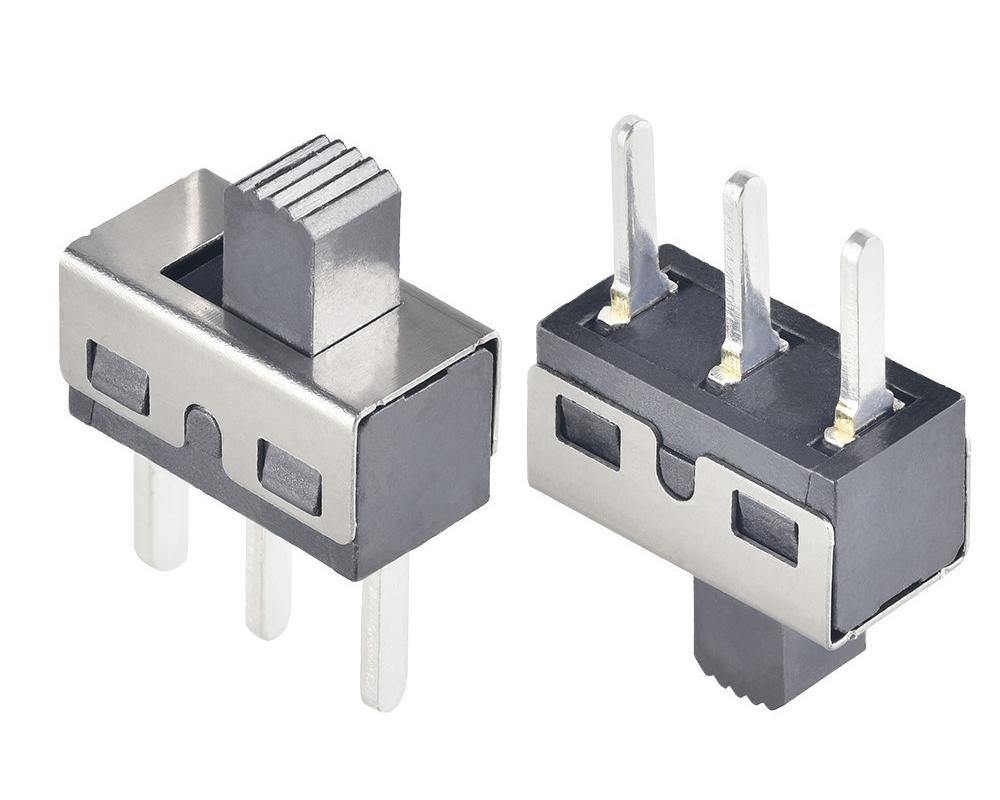
  • Slide Switches: PCB slide switch moves back and forth to open or close a circuit. These are often used for settings like “On/Off” or “Low/High”.
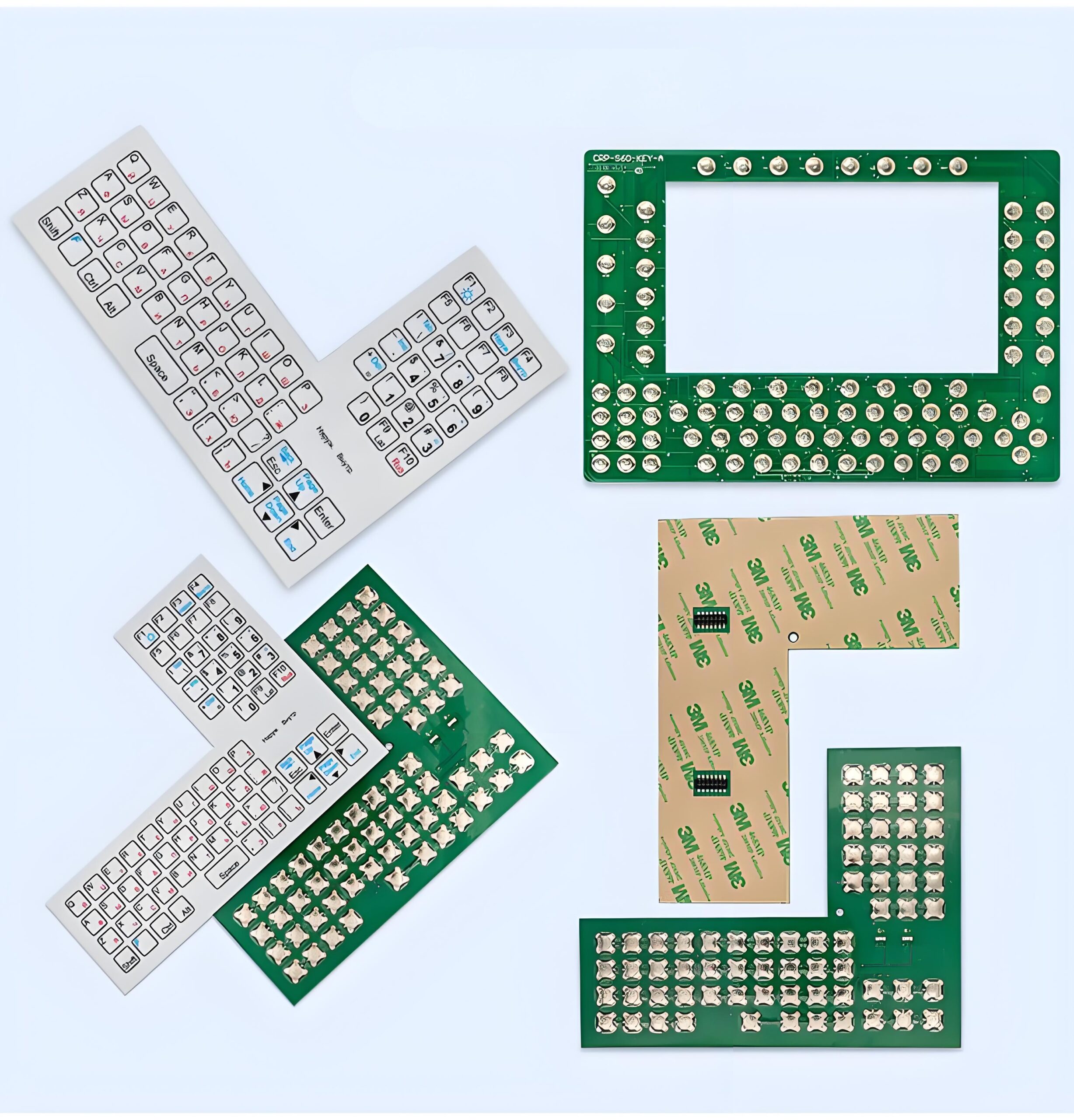
  • Membrane Switches: Thin, flexible, and reliable. These are made of several layers, including a conductive one. A press completes the circuit. They’re often found in microwaves, medical devices, and industrial equipment.
  • Dome Switches: Underneath a flexible surface is a metal dome that snaps when pressed. These are often used in PCB switch keyboards and control panels. A popular choice due to their clear feedback and long life.
  • Tactile Switches: These are small, surface-mounted push switches that provide a soft but definite press. You’ll see them in handheld devices, keypads, and control buttons.
  • Rotary Switches: Turn a knob, change the connection. These switches are common in older radios and settings dials.
  • DIP Switches: They allow manual settings directly on the PCB. Used for configuration and customization in hardware without needing software.

How does a PCB on-off switch work?

PCB on-off switch is simply a mechanical or tactile switch mounted onto the circuit board. When pressed or moved, it connects or disconnects the conductive path.

This switch allows or blocks the flow of electricity on the board. When “on,” the circuit is complete. When “off,” the flow is cut.

This type is used in nearly every consumer device: TVs, fans, lights, speakers.

What’s the use of a PCB slide switch?

Slide switch provides easy manual control. Instead of pressing, you slide a tab from one side to the other. It’s tactile and intuitive.

For example, on a small device like a Bluetooth headset, the power switch is often a slide switch. It’s compact, durable, and gives clear indication whether the device is on or off.

Because it doesn’t require pressing force, it’s easy to use in tight enclosures or when physical feedback is helpful.

Why choose membrane switches for PCBs?

Membrane switches are ultra-slim and sealed. They’re ideal when you want a flat surface that still works as a button panel. Their flexibility makes them perfect for complex shapes and harsh environments.

They’re often the first choice for:

  • Medical devices
  • Industrial control panels
  • Consumer electronics
  • Kitchen appliances

They’re cleanable, waterproof, and tamper-resistant. Plus, you can customize graphics on their surface. This makes them a favorite for product designers looking to merge form with function.

What’s the difference between toggle and slide switches?

While both control on-off states, the feel and movement are different.

Toggle switches require a flipping motion. They’re often larger and more rugged.

Slide switches move in a straight path and are more compact.

Toggle switches are better for heavy-duty use. Slide switches work best in space-constrained environments.

What advantages do membrane switches bring to circuit boards?

Membrane switches are not just about looks. They bring several strong benefits:

  • Sealed Surface: Prevents moisture and dust from entering. Perfect for outdoor or industrial use.
  • Flexible Design: The shape can follow curves or angles. It adapts to product design needs.
  • Tactile Feedback: With metal domes inside, you get a satisfying “click.” This confirms each press.
  • Custom Graphics: You can print symbols, logos, and text directly on the surface.
  • Long Life: Less wear-and-tear compared to mechanical switches.

These features combine to create a high-performance user interface that works in tough environments without sacrificing aesthetics.

How to select the right switch type for your circuit board?

Choosing the right circuit board switch isn’t just about cost or size. You have to consider the entire use-case.

  • What’s the function of the switch?
  • How often will it be pressed?
  • Does it need tactile feedback?
  • Will it be exposed to dust, water, or oil?
  • How much space is available on the PCB?
  • Does it need to support visual design or labeling?

For rugged use, toggle switches or membrane switches with domes are ideal. For space-saving and cost, slide or tactile switches make sense. If visual appearance and durability matter, membrane switches lead the way.

And if you want ultra-precise control with clear feedback, metal dome switches are your go-to solution. They’re tested, reliable, and feel satisfying to press.

Conclusion:

Circuit board switch types vary from simple push-buttons to advanced membrane switches with custom overlays. Each serves a unique role in making electronic devices more user-friendly, reliable, and efficient.

If you’re looking for durable, high-performance switches—especially metal domes and custom membrane switch solutions. Reach out to us at sales@metal-domes.com

Posted in FAQ, Membrane Switches | Tagged , , , , , | Comments Off on What are the circuit board switch types? PCB switch keyboard

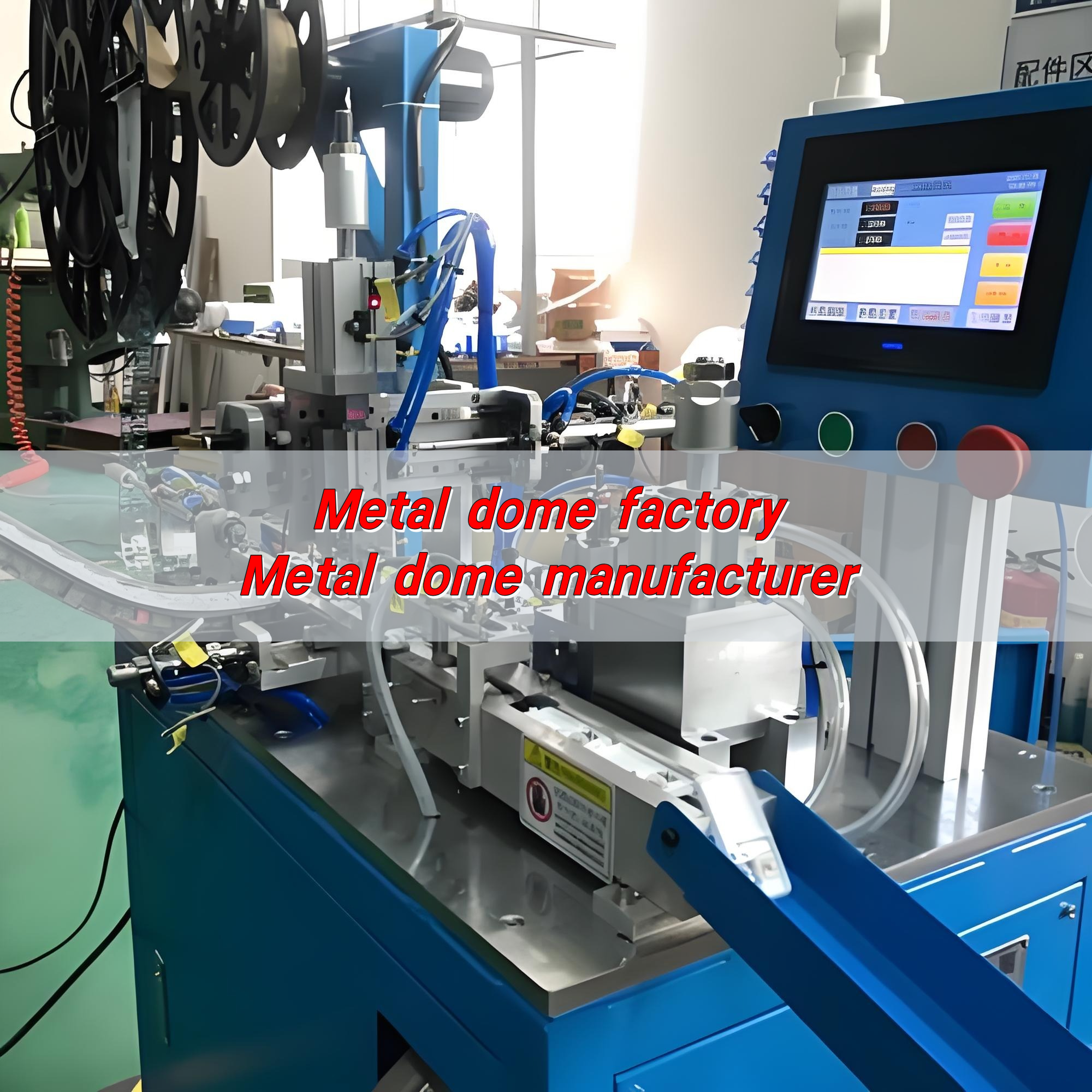
Metal dome factory, Metal dome manufacturer

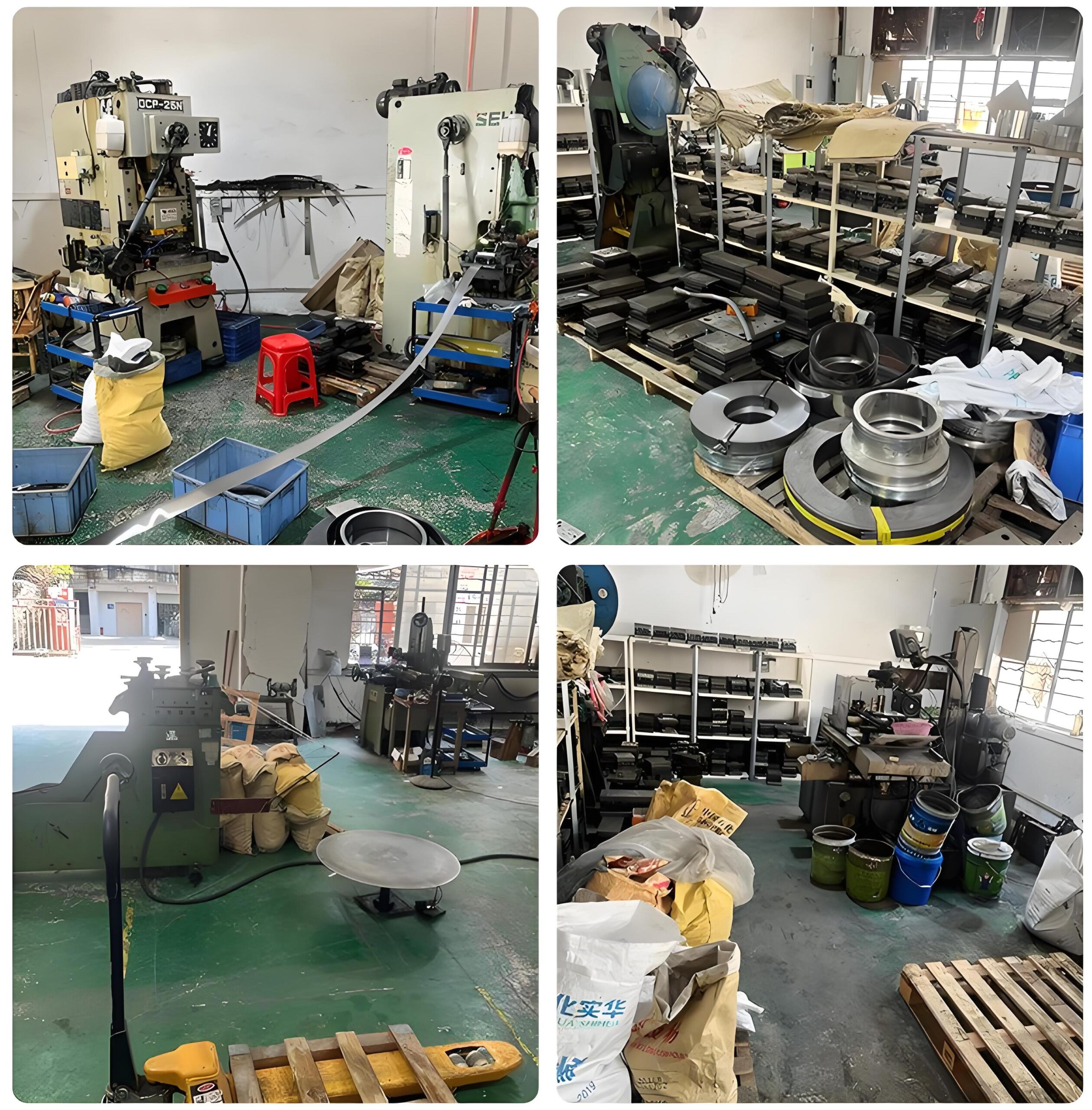
Metal domes are elastic components stamped from metal sheets. They can switch circuits on and off and provide tactile feedback. They are widely used in electronics, home appliances, automobiles, and other fields. Metal dome factories are places dedicated to the production of metal domes. They are equipped with advanced equipment and a strict quality control system to ensure product accuracy and performance.

What is a metal dome?

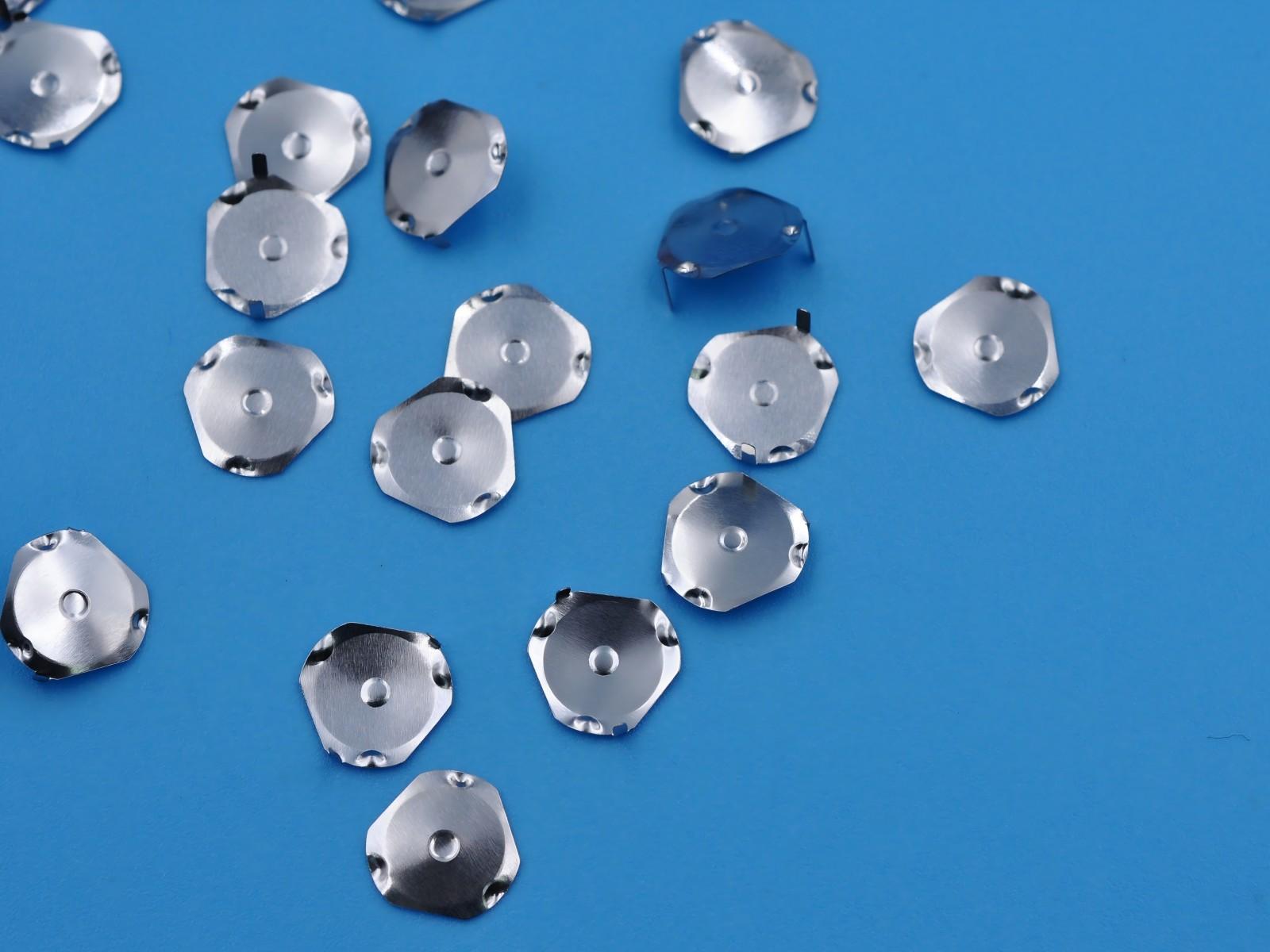
Metal dome is a small, precise piece of metal formed into a dome shape that reacts to pressure by flexing and returning to its original position. It’s often used in electronic devices to give a tactile response when a button is pressed.

These domes are most commonly made from stainless steel, which offers durability, excellent elasticity, and corrosion resistance. They’re placed inside membrane switches, keypads, or other interface controls where a tactile feel is necessary. When pressed, the dome completes a circuit, creating a reliable and immediate response.

The feeling you get when pressing a calculator button, a remote control key, or an elevator panel—that’s the metal dome at work.

How are metal domes made?

It starts with high-grade stainless steel sheets. Depending on the required response force and size, the sheet thickness may vary. These sheets undergo a precision stamping process using specialized tooling. The press shapes each dome with exact dimensions, ensuring consistent height, diameter, and force.

After shaping, the domes are thoroughly cleaned and treated to remove any surface residue. In some cases, metal spinning techniques are used, especially for larger or more specialized domes. Metal spinning manufacturers craft these products by forming metal over a mandrel at high speed, perfect for custom or large-scale domes.

Next comes inspection. Every piece is checked for uniformity, durability, and proper snap force. Even a slight deviation can affect the product’s performance.

BEST Technology metal dome manufacturers also offer laser-cutting for added precision or to create customized patterns and features. These steps ensure that every metal dome leaving the factory is ready to perform flawlessly under real-world conditions.

What is a dome array?

Dome array refers to a set of metal domes pre-positioned on an adhesive sheet, typically with a polyester layer. It simplifies the installation process during keypad or switch production. Instead of placing domes one by one, engineers can apply the entire sheet at once.

This array also provides alignment and spacing accuracy, especially for complex control panels. It’s essential in keyboard metal dome factory setups, where rapid production without sacrificing accuracy is critical.

Dome arrays are also customizable. You can request different dome sizes, shapes, and feedback levels depending on your end-product application. It’s the perfect blend of performance and productivity.

What is a snap dome?

When pressed, it ‘snaps’ to provide a crisp tactile feedback and an audible click. The snap action is what users recognize as a confirmation of input—whether it’s a microwave button or a medical control panel.

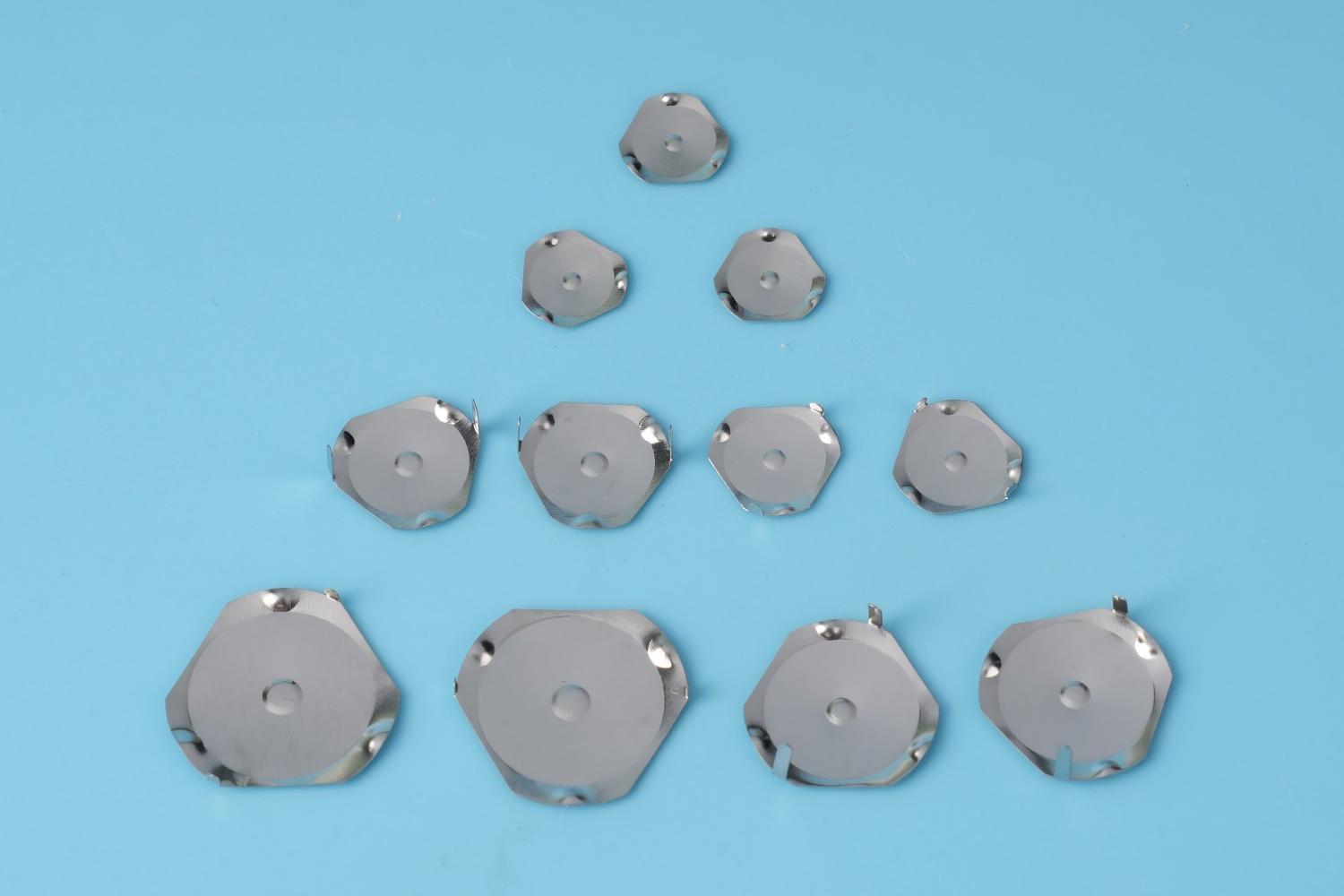
Snap domes come in various shapes like four-leg, triangle, oblong, and round. Each design influences the actuation force, feedback feel, and rebound speed.

This variety allows manufacturers to meet different product requirements. For example, a handheld device might need a soft click, while an industrial panel may require a firmer press for safety.

What is the difference between rubber and metal domes?

While both are used in switches, rubber domes and metal domes are not the same.

Rubber domes are made from silicone rubber and compress under pressure. They provide a quieter and softer press, commonly found in budget keyboards or remote controls. However, they tend to wear out faster and offer less feedback.

On the other hand, metal domes are more precise and durable. They give a sharp tactile response and have a longer life cycle. That’s why they’re preferred in medical, industrial, automotive, and high-performance consumer electronics.

If your product demands reliability, clear tactile feedback, and longer usage, the metal dome is the superior choice.

Where can I find a reliable metal dome manufacturer?

Choosing the right metal dome manufacturer is vital for your product’s success. An experienced metal dome factory will also provide metal domes for sale in various formats—loose domes, sheets, or pre-assembled arrays—tailored to your needs.

Make sure to check certifications like ISO9001 and RoHS compliance. These reflect the manufacturer’s commitment to quality and environmental standards.

With over 18 years of experience, BEST Technology has been at the forefront of metal dome production, serving industries that demand both precision and performance.

Reasons to choose BEST Technology:

  • Complete In-House Manufacturing: From die design to dome stamping and array lamination, every step is handled under one roof.
  • Diverse Product Range: Whether you need standard snap domes, custom metal dome membrane switch designs, or high-response tactile arrays—we provide it all.
  • Strict Quality Assurance: We are ISO9001 and RoHS certified. Each batch of domes is rigorously inspected for snap force, height, resilience, and durability.
  • Fast Delivery, Global Service: With facilities in China and Vietnam, we can handle urgent orders, deliver to any region, and support you from sampling to shipping.

What are the applications of metal dome?

Metal domes are used across a broad range of industries.

  • Medical equipment (diagnostic tools, handheld testers)
  • Consumer electronics (mobile phones, smart remotes)
  • Automotive dashboards and control panels
  • Military-grade communication devices
  • Industrial machinery controls
  • Security systems and access panels
  • Kitchen appliances and wearables

Their ability to provide consistent tactile feedback makes them ideal wherever reliable input is essential. In fact, any product that relies on button precision can benefit from a well-made metal dome.

How to customize different types of metal dome?

You can modify dome shape, size, snap force, plating, or even add laser-etched markers for visibility. Want a lower-profile dome? Prefer higher actuation force? Need high-temperature resistance?

A capable metal dome membrane switch factory can help you tune all these parameters for performance, feel, and even aesthetics.

Common customization options include:

  • Force: Ranges from 80g to 800g
  • Material finish: Nickel-plated, gold-plated, or raw stainless
  • Shapes: Four-leg, triangle, oval, round
  • Mounting: Loose dome, PSA-backed, arrayed on PET sheets.

Conclusion:

Metal domes may be tiny, but their impact is massive. They define how we interact with machines, how we receive feedback, and how we trust that a button press really happened. When choosing a metal dome factory or manufacturer, go beyond just cost—focus on quality, support, and precision.

Whether you’re developing medical tech, automotive controls, or consumer electronics, the right metal dome can elevate your product’s user experience to the next level.

If you’re ready to create something that feels right, performs well, and lasts longer, we’re here to help. Contact us today at sales@metal-domes.com

Posted in metal dome array, Metal Domes | Tagged , , , , | Comments Off on Metal dome factory, Metal dome manufacturer

How to make a dome out of sheet metal?

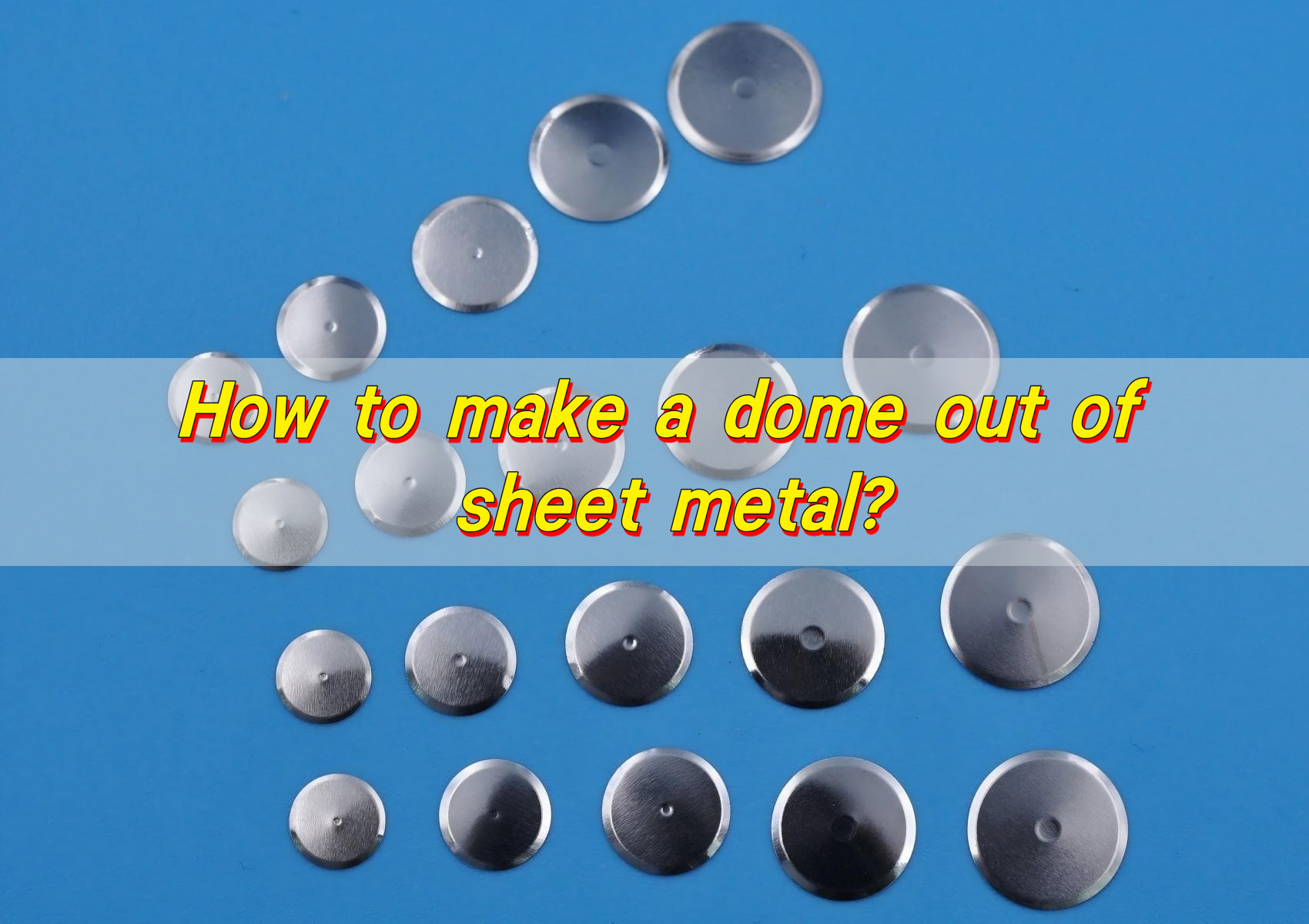
How to make a dome out of sheet metal? To make a metal dome, you must first select a suitable metal plate, such as stainless steel or copper alloy, to ensure that it has excellent elasticity and conductivity. Then, according to the design drawings, use laser cutting or stamping equipment to accurately cut it into the required shape. Then, stamping is used to form the metal plate into the shape of the dome to ensure dimensional accuracy. In order to prevent corrosion and improve conductivity, surface treatment such as gold plating or silver plating is required.

How to make a dome out of sheet metal?

How to make a dome out of metal?

Making a dome out of metal begins with choosing the right kind of sheet metal. Then, it involves shaping that metal into a smooth, curved form.

The most common process is called hydroforming, which uses fluid pressure to mold the sheet metal into a dome. Another popular technique is metal spinning. This method rotates a flat sheet on a lathe while a tool presses it into the desired shape.

Manual forming can also work for simple domes. Using a hammer and a sandbag or a wooden form. It takes time and patience, but it’s possible with the right technique.

What material are the sheet metal used to make dome made of?

The material matters—a lot. Most sheet metal domes are made from stainless steel, brass, aluminum, or copper. These metals are durable, corrosion-resistant, and easy to form. Stainless steel is often chosen for switches and tactile applications because it snaps back well and doesn’t corrode easily.

Aluminum is lightweight and soft, making it great for artistic or structural domes where minimal weight is crucial. Copper and brass, though more expensive, are preferred for their visual appeal and malleability.

Choosing the right material depends on what your dome will be used for. If it’s for electronics or membrane switches, metal domes made of stainless steel are ideal.

What’s the best method to make a metal dome?

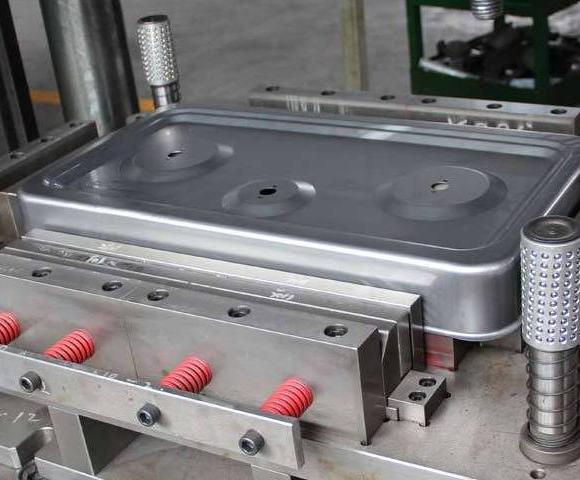
It depends on the final purpose. For tactile domes in electronics, stamping and coining offer the best precision. These methods involve pressing the metal with a die to create a uniform shape. They’re fast, reliable, and excellent for mass production.

For larger or artistic domes, spinning is often the best choice. It’s smooth, accurate, and retains the integrity of the metal. When intricate designs or one-off pieces are needed, hydroforming or press forming might be used.

How to make a dome out of sheet metal?

Each technique has its own benefits. What matters is the consistency of the shape, the strength of the metal, and the surface finish.

How do you avoid dents when making domes?

This is one of the biggest challenges. Even the smallest dent can ruin the symmetry of a dome. To avoid dents, you must work slowly and with control. Never rush the forming process. Use proper support underneath the metal.

If you’re using tools, make sure they’re smooth and clean. Sharp edges or dirty surfaces can scratch or dent the metal. Wearing gloves also helps to keep oils off the sheet, which might affect the finish or create slippery areas.

How thin should sheet metal be for domes?

Thickness depends on the dome’s purpose. For small tactile metal domes used in electronics, the thickness is usually between 0.05 mm to 0.15 mm. This thin profile allows the dome to snap quickly while still offering resistance.

Thinner metal is easier to form but may not hold shape as well under stress. Thicker metal is stronger but harder to shape.

Find the right balance. For most metal domes, especially snap domes, the perfect thickness allows for both form and function—providing tactile feedback without breaking.

What tools make dome metal shaping easier?

The right tools make all the difference. For small domes:

  • Stamping dies: Ideal for precise shaping in mass production
  • Coining machines: Apply pressure for uniform curves
  • Vacuum forming setups: Help form the metal without stretching it too thin

Each tool has a purpose. Combining manual and machine methods can often give the best results.

How are metal dome of different shapes made?

The production of metal dome of different shapes (such as round, cross, triangle, and ellipse) mainly revolves around the engraving, lamination and assembly process of PET plastic materials. The process emphasizes precision control and drawing customization to adapt to various shapes.

According to the design drawings (customized for different shapes), the PET plastic material is track engraved or stamped. For example, round or cross-shaped metal dome requires a specific mold to ensure the shape is accurate; this step can be processed in batches, but the more complex the shape, the more it relies on high-precision equipment and customized drawings.

Key points for customization of different shapes:

  • Circular and elliptical: The easiest to make, low cost, and long life, mainly relying on standard stamping dies; the elliptical needs to pay attention to arc symmetry.
  • Cross and triangle: The shape is complex, and customized drawings and fixtures are required. It is easier to deviate when laminating, and precision control must be strengthened.
  • Customization of special shapes: Drawings can be designed according to needs (such as customized strength 100-5000 grams), but additional mold costs are required, and the difficulty of production increases with the complexity of the shape.
How to make a dome out of sheet metal?

The entire process emphasizes environmental cleanliness, tool precision and material adaptation to ensure the conductivity and durability of various metal dome.

Is laser cutting better for dome metal?

Laser cutting allows precise, clean cuts without physically touching the metal. This means there’s less risk of scratches or deformities. It’s especially useful for cutting out the blank shapes before forming begins.

For small dome switches, laser cutting is ideal. It ensures each dome starts with exactly the same size and shape, which means better consistency and performance later. In contrast, mechanical cutting might leave burrs or rough edges.

How to make a dome out of sheet metal?

Laser cutting also reduces waste. It’s computer-controlled, so every sheet of metal is used efficiently. That makes it not just better for quality but also better for cost.

Conclusion:

Making a dome out of sheet metal is a critical process, from choosing the right metal to carefully shaping it. The entire process can be done by stamping, spinning or hydroforming – each process has its own unique advantages.

Selecting the right thickness and tools ensures smooth results. Avoiding dents takes patience and smart techniques. Whether you’re making a tactile dome switch or a structural dome, precision is everything.

If you’re ready to start your own metal dome project or need help creating one, our experts are here to help. Reach out to us at sales@metal-domes.com

Posted in FAQ, metal dome related, Metal Domes | Tagged , , | Comments Off on How to make a dome out of sheet metal?

Snap switch vs toggle switch: What’s the difference?

The main difference between snap switch and toggle switch lies in the operation method and application scenario. Snap switch switches the circuit instantly by pressing, providing crisp tactile feedback, and is suitable for scenes that require quick response, such as keyboard keys and mouse buttons. Toggle switch switches the circuit state by toggling operation, and can maintain the set state. It is often used in occasions that require continuous action, such as volume adjustment and power switch.

Snap switch vs toggle switch: What’s the difference?

Is a toggle switch a snap switch?

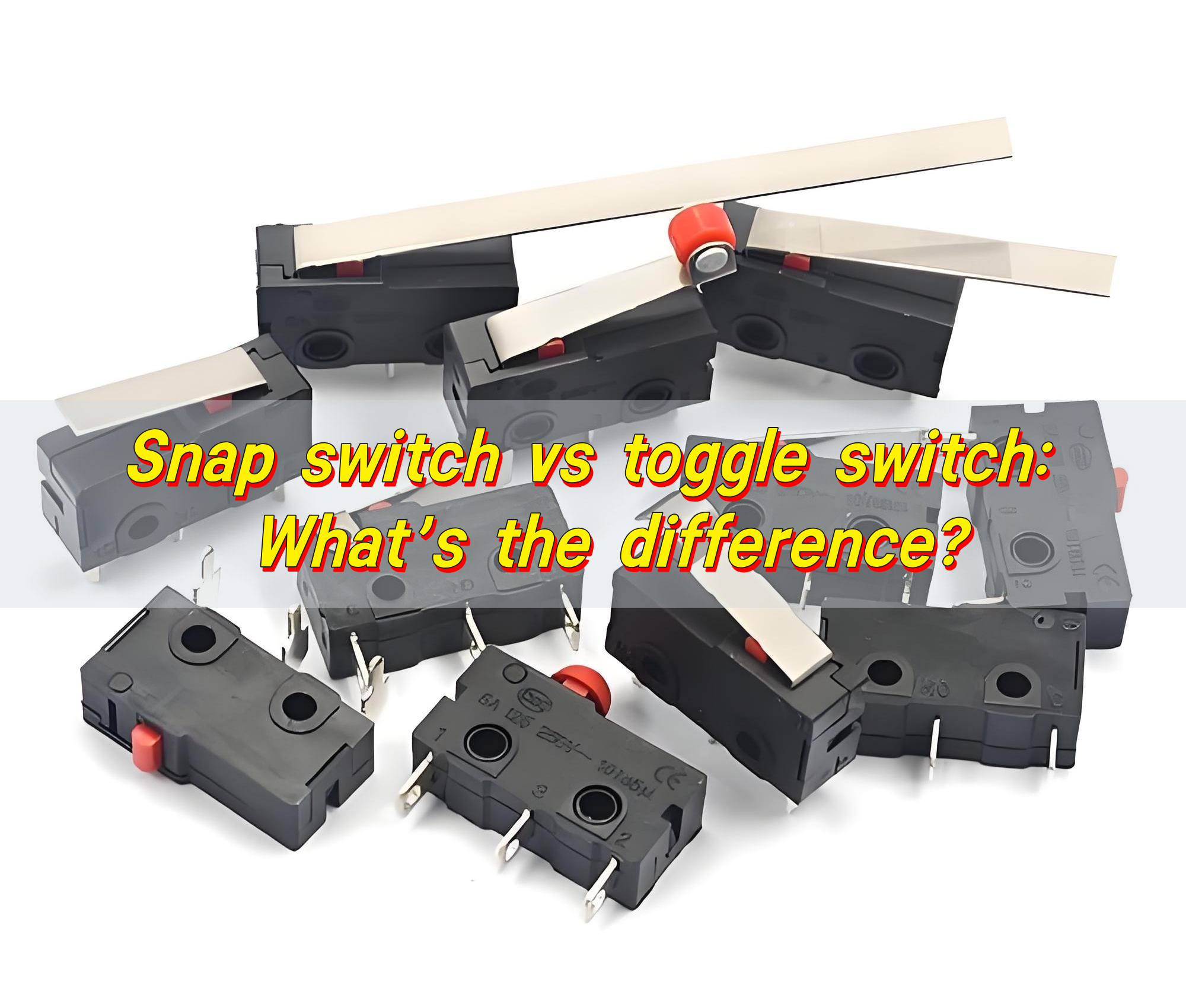
Toggle switches and snap switches can look similar. Both are used to open or close electrical circuits. Both can come in compact forms. But here’s the deal—they work differently.

Toggle switch moves manually back and forth to change its state. It stays in the position where you leave it. Think of a light switch in your home. You flip it up, the lights come on. Flip it down, and the lights go off. Simple.

Snap switch, also called a snap-action switch, is more precise. It doesn’t just gradually move into position. Instead, it “snaps” from one state to another with a crisp, fast motion. It either clicks on or off. This snap action makes it more reliable in applications where accuracy and speed matter.

So no—a toggle switch is not a snap switch. They serve different purposes and operate in unique ways.

What is the advantage of a snap action switch?

Snap switches bring a lot to the table. Their internal mechanism is designed for speed and precision. When triggered, the contacts move from one position to another almost instantly. This reduces electrical arcing and extends the life of the switch.

Here’s why that matters:

  • Longer Lifespan: The fast snap action causes less wear.
  • Higher Reliability: Precise actuation means fewer failures.

This is why general use snap switches are popular in environments that demand fast response. Medical devices, elevators, control panels—all benefit from the accuracy and durability of snap switches.

What are the benefits of a toggle switch?

Toggle switches also have their sweet spot. Their design is simple and intuitive. Flip it, and something turns on. Flip it back, and it turns off. Here’s what makes toggle switches great:

  • User-Friendly: The interface is familiar and easy.
  • Sturdy Build: Many are built to last, even in harsh environments.
  • Multiple Configurations: SPST, SPDT, DPDT—toggle switches come in many varieties to suit different circuits.
Snap switch vs toggle switch: What’s the difference?

You’ll find toggle switches in cars, boats, household appliances, and industrial machines. They’re rugged and dependable, especially when visual control matters.

How does snap switch work?

Inside a snap switch, you’ll find a small but powerful mechanism. When force is applied to the actuator, it doesn’t gradually shift. Instead, it builds tension in a spring or metal dome. When enough force is reached, the mechanism “snaps” over to the other side.

In most cases, the snap is made using a metal dome that flexes and clicks into place. This provides a tactile response—you feel the click, and the circuit instantly changes state.

Because of this action, snap switches are often preferred in precision electronics, medical tools, and even aerospace systems.

What is the function of snap switch?

Snap switch’s function is simple on the surface—it turns a circuit on or off. Snap switches are designed to:

  • React Quickly to a small amount of pressure.
  • Change State Fast, with minimal contact bounce.
  • Maintain Contact Stability, ensuring current flows reliably.

They are often used where small actuating movements must trigger large responses. Think emergency stop systems, automatic door sensors, or even coffee machines.

One quick press, and the system responds with confidence. That fast, mechanical reaction creates not just performance but also safety and dependability.

What is the snap switch NEC meaning?

According to the NEC (National Electrical Code), a snap switch is defined as “a form of switch that is actuated with a quick make-and-break action.” The NEC considers them reliable for use in electrical systems under specific ratings and conditions.

Snap switch vs toggle switch: What’s the difference?

It means that snap switches meet stringent safety, durability, and performance standards. They’re recognized as stable devices in residential, commercial, and industrial wiring systems. In short, they’re not just useful—they’re code-compliant and trusted.

What is the difference between a toggle switch and a normal switch?

Normal switch can be a broad category. It includes rocker switches, push buttons, and even soft-touch capacitive switches. A toggle switch is a specific type of mechanical switch.

Here’s the difference:

  • Normal Switch: Can be push, rock, slide, or toggle.
  • Toggle Switch: Always features a lever that flips back and forth.

So, toggle switches fall under the umbrella of normal switches, but not all normal switches are toggle switches.

What is the difference between toggle switch and toggle button?

Toggle switch is a mechanical device. It physically moves to switch between states. Once moved, it stays in that position until changed again.

Toggle button, especially in digital systems, might look like a real switch—but it’s not mechanical. It simulates a toggle action in software or on a touchscreen. You touch it, and it flips states. But there’s no physical movement. It’s just a visual indicator.

Snap switch vs toggle switch: What’s the difference?

So while both toggle switch and toggle button serve the same purpose—turning something on or off.

Conclusion:

Snap switch delivers fast, accurate action with tactile feedback and a long lifespan. It’s a go-to for electronics and precise control systems.

Toggle switch offers a simple, intuitive interface that gives users control and confidence. It’s perfect for industrial, home, and automotive applications.

If you’re looking to incorporate high-quality snap switches or explore custom snap dome arrays, our team is here to help. Contact us at sales@metal-domes.com
Posted in FAQ, metal dome related, Others | Tagged , , , | Comments Off on Snap switch vs toggle switch: What’s the difference?

What are controller buttons? Controller with back buttons

Controller buttons are components in electronic devices that receive user input and trigger specific actions. They are widely used in game controllers, industrial equipment, home appliances, etc., allowing users to achieve precise control of the device with a simple press. Controller buttons are usually designed to provide clear tactile feedback to ensure that users have a good experience during operation.

What are controller buttons? Controller with back buttons

What are controller buttons?

At their core, controller buttons are mechanical or electronic switches. When you press them, they send a signal to the game console or PC. That signal triggers an action in the game—jump, shoot, pass, interact, or anything else you assign.

These buttons live on gaming controllers across platforms—controller buttons on PS4, controller buttons on PS5, and controller buttons on Xbox—and each has its own design.

What are ps5 controller buttons called?

The controller brings innovation in design and feel. The button layout stays familiar but adds haptic feedback and adaptive triggers.

  • Face Buttons: Triangle, Circle, Cross (often called X), Square.
  • Triggers and Bumpers: L1/L2, R1/R2.
  • Analog Stick Buttons: L3/R3.
  • Touchpad: Acts like a button and swipe sensor.
  • Create and Options: For sharing and game settings.
  • PS Button: To return to home screen.
  • Mute Button: To turn off the built-in mic.
What are controller buttons? Controller with back buttons

Each button is named for intuitive use, but they’re far from basic. The PS5 controller elevates the experience through dynamic resistance and vibrations. This makes every press feel more real.

What do back buttons on controllers do?

Back buttons are placed on the underside of the controller. You press them with your middle or ring fingers. They’re often programmable, meaning you can assign any other button’s function to them.

Want to jump, reload, or crouch without moving your thumb off the stick? Back buttons make it happen.

This layout reduces input delay and increases reaction time. It’s perfect for fast-paced games—think shooters, fighters, and racing games.

Back buttons have become essential for competitive gamers. On controllers with back buttons for PS4, or controllers with back buttons for Xbox, these buttons give a true tactical edge. Even casual gamers notice the smoother experience and more fluid control.

What materials are commonly used to make controller buttons?

You might not think about it, but materials play a big role in the feel and durability of buttons.

Most controller buttons are made from:

  • ABS Plastic: Durable, lightweight, and easy to mold.
  • Silicone Rubber Domes: For the soft-touch feedback, especially in D-pads and face buttons.
  • Metal Domes: Used in high-performance or professional controllers. These offer crisp tactile feedback and quick bounce-back.
  • Carbon Pads: Conductive materials under the button that send signals to the PCB.

Metal dome switches are rising in popularity due to their sharp tactile feedback and long lifespan. That clicky feel? That’s the dome at work. These switches respond faster and last longer, which is why they’re used in pro gear.

What’s inside a controller button?

Each button is more than just a cap. When you press down, the pressure activates a dome or membrane. This completes a circuit on the controller’s PCB, sending the signal to the console or computer.

A typical button contains:

  • The outer cap (what your finger touches).
  • A support layer, usually silicone or plastic.
  • A dome switch or rubber pad, depending on the controller type.
  • Conductive contact connected to the PCB.
What are controller buttons? Controller with back buttons

In advanced controllers, snap domes made of stainless steel are placed beneath the button. These offer fast actuation and a satisfying click. That tactile feedback helps gamers make precise inputs in fast sequences.

What makes controller buttons different from regular buttons?

Controller buttons are built for speed, precision, and durability. They must withstand thousands of presses every gaming session.

Unlike basic electrical switches or keyboard keys, controller buttons:

  • Prioritize tactile feedback.
  • Offer quick rebound time.
  • Minimize input delay.
  • Are compact yet rugged.
  • Often use special dome switches for responsiveness.

The difference is in the design and engineering. Controller buttons must balance comfort with performance. Every button press should feel effortless and intuitive.

Why are controller buttons failing?

Here’s why controller buttons stop working or stick:

  • Dirt or Dust Build-Up: Gunk under the buttons is the #1 reason.
  • Wear and Tear: The rubber dome or conductive pads degrade over time.
  • Moisture Damage: Even a little sweat or humidity can affect the contacts.
  • Faulty PCB Connection: Sometimes the issue is with the board, not the button.
  • Overuse: For players who clock in serious hours, buttons may just wear out.

If your PS5 controller buttons are not working, or you notice controller buttons sticking, a quick cleaning can help. For deeper issues, replacement parts or professional repair may be needed.

What are controller buttons? Controller with back buttons

Still, high-quality domes and good materials can prevent these issues early on. This is where metal domes shine. They outlast rubber alternatives and offer better tactile feedback.

How to test controller button functions?

You can perform a controller buttons test using:

  • Built-in Console Tools: PS4, PS5, and Xbox all offer input test modes.
  • Online Testing Sites: Plug in your controller via USB and press away.

Check for these signs:

  • Delayed response.
  • Inconsistent presses.
  • Buttons getting stuck or double-clicking.

Compare behavior across games. If the issue remains, it’s probably hardware-related.

Testing lets you catch problems early. It also helps when customizing settings. You’ll know exactly how each button responds and can assign back buttons more effectively.

Conclusion:

Controller buttons are the core of every game interaction. From the PS4 controller buttons to the innovative controllers with back buttons, these small tools shape your gameplay in big ways. The materials inside, like metal domes, the way they function, and the evolving layouts all contribute to a better, faster, and more responsive experience.

For advanced button solutions and premium tactile dome technology, reach out to sales@metal-domes.com

Posted in FAQ, Membrane Switches, metal dome related | Tagged , , , , | Comments Off on What are controller buttons? Controller with back buttons

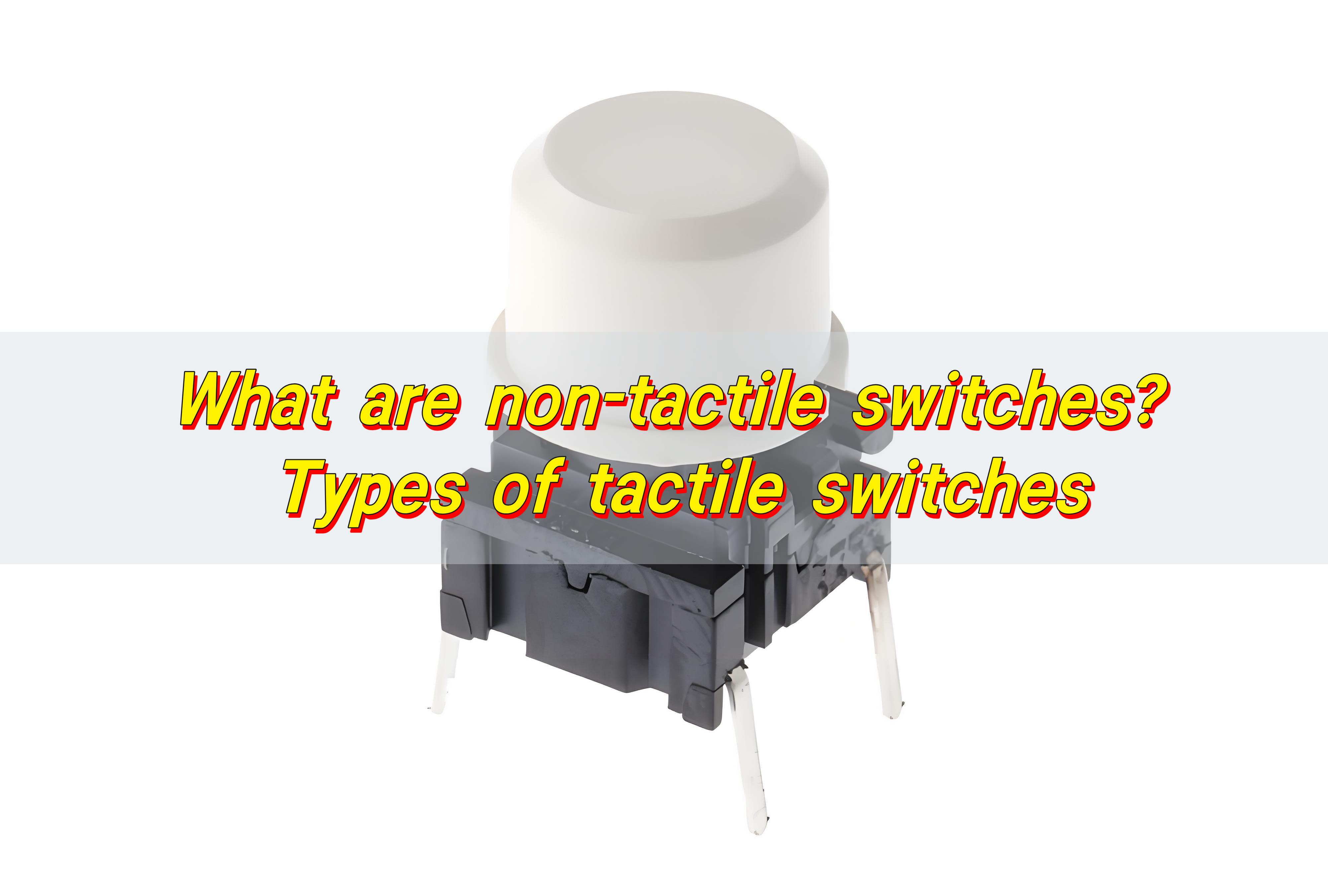
What are non-tactile switches? Types of tactile switches

A non-tactile switch is a switch that provides almost no physical feedback when operated, such as capacitive touch switches and proximity sensors. They detect changes in capacitance or infrared signals to turn the circuit on and off, and are suitable for scenarios that require concealed or simple designs. Tactile switches provide clear physical feedback through mechanical structures. These switches have their own advantages in different application scenarios, and the selection needs to be weighed according to specific needs.

What are non-tactile switches? Types of tactile switches

What are non-tactile switches?

Non-tactile switches are electronic switches that do not provide noticeable physical feedback when pressed. There’s no “snap,” no click, no bump. When you activate them, they silently close a circuit and perform a function. These switches are usually part of membrane keypads or flat panel interfaces.

They operate through a simple pressing mechanism. The user presses the surface, and the circuit completes without a mechanical sensation.

Non-tactile doesn’t mean non-functional. It simply means the switch doesn’t communicate touch sensation back to the user.

What are the different types of non-tactile switches?

There are various non-tactile switches, each designed for specific uses:

  • 1. Membrane Switches (Flat Panel):

The most common non-tactile switches. These have flexible layers printed with conductive traces. When pressed, they create contact between two layers, triggering an electrical signal.

  • 2. Non-Contact Switches:

Also known as capacitive or inductive switches. These use proximity sensing rather than physical force. They’re ideal for environments where hygiene is crucial, like hospitals or food processing.

  • 3. Touchscreen Interfaces:

Modern capacitive touchscreens, such as those on smartphones, are also considered non-tactile in nature. While they offer digital haptic feedback, they lack physical tactile response.

  • 4. Rubber Dome Switches Without Tactile Feedback:

In some rubber dome variants, the domes are soft and provide minimal or no tactile feedback. These are more common in quiet environments.

What are non-tactile switches? Types of tactile switches

Each type serves its purpose, but what they all share is this: a smooth and often silent user experience.

How do non-tactile switches work?

The basic mechanism behind a non-tactile switch involves pressure completing a circuit.

A membrane switch, for example, has several layers. The top layer (graphic overlay) is pressed, which pushes a spacer layer down onto a circuit layer. This pressure closes the circuit and sends a signal to the device.

In non-contact versions, such as capacitive switches, the system detects the proximity or touch of a finger without actual pressure. These use sensors to trigger actions, not force.

There’s no dome snap or mechanical bounce. The whole design prioritizes silent and consistent response. This makes non-tactile switches perfect for spaces where minimal noise and smooth input are critical.

What are the advantages of using non-tactile switches?

Despite lacking a “feel,” non-tactile switches offer plenty of benefits:

  • 1. Ultra-Quiet Operation:

No clicking. No snapping. Just quiet, effortless input. This makes them ideal for control rooms, hospitals, and other noise-sensitive environments.

  • 2. Slim Profile and Seamless Design:

Because they’re typically embedded in flat panels, non-tactile switches allow for sleek, modern designs. They also save space.

  • 3. Easy to Clean and Sanitize:

Their smooth surface without protruding parts means they’re easy to wipe down. This is vital in medical or food-processing industries.

  • 4. Longer Lifespan:

Fewer moving parts often translate to less wear and tear. Many non-tactile membrane switches can last for millions of cycles.

  • 5. Cost-Effective:

They’re generally cheaper to produce than mechanical switches. For bulk orders, the savings can be substantial.

  • 6. Customization Options:

Non-tactile switches can be customized with LED backlighting, embossing, or special printing—helping brands create unique user interfaces.

What are non-tactile switches? Types of tactile switches

Non-tactile switches provide smooth function in a sleek package, all while keeping costs and noise low.

What are the disadvantages of non-tactile switches?

No technology is perfect, and non-tactile switches have some drawbacks:

  • 1. Lack of Feedback:

Some users may press the same key multiple times, unsure if it registered.

  • 2. Lower User Satisfaction in Some Applications:

For gaming, data entry, or environments requiring high-speed input, the absence of tactile feedback can slow performance or cause frustration.

  • 3. Reduced Accuracy Without Feedback:

Mistypes or missed inputs can happen, especially if there’s no light or sound to confirm the press.

That said, these disadvantages are easily mitigated by adding LED indicators, buzzers, or screen-based confirmations. The negative aspects exist—but they’re not deal breakers in most industries.

How do non-tactile switches compare to tactile switches?

Tactile switches give you that satisfying bump or click. They’re common in mechanical keyboards, industrial panels, and gaming devices.

Non-tactile switches, on the other hand, operate silently. They’re often used in quiet environments or when sleek, modern aesthetics matter more than physical feedback.

FeatureTactile SwitchesNon-Tactile Switches
FeedbackYes (click or bump)No
NoiseModerate to loudSilent
SpeedFast inputSlightly slower
LifespanHighVery high (if membrane-based)
User comfortHigh (for typing/gaming)High (for touch interfaces)
What are non-tactile switches? Types of tactile switches

Both types have their place. Choosing between them depends on your goals—performance, noise level, or design.

What are the best tactile switches?

If tactile feel is what you crave, here are a few tactile switches worth considering:

These deliver a sharp, crisp feedback when pressed. Ideal for control panels and medical devices. Known for high responsiveness and reliability.

  • 2. Mechanical Keyboard Switches:

Popular in both gaming and office environments. They offer varied levels of tactile response and actuation force.

  • 3. Rubber Dome with Click Layer:

Some rubber domes include a click mechanism to simulate tactile feedback, combining quiet operation with subtle response.

  • 4. Tactile Non-Clicky Switches:

These offer the bump without the noise. Perfect for offices or shared spaces.

When choosing a tactile switch, focus on actuation force, travel distance, and expected lifespan. Metal dome options from trusted brands like Best Technology offer both feel and function.

What role does a spacer layer play in a membrane switch?

One of the most essential parts of a membrane switch—tactile or non-tactile—is the spacer layer.

This layer sits between the circuit and the top membrane. Its job is simple but powerful: it keeps the circuit open until the button is pressed. When you push down, the top layer presses through the spacer and contacts the circuit layer beneath.

Here’s why it matters: Prevents accidental contact?Ensures accurate signal registration?Adds durability to the switch design

In non-tactile switches, the spacer layer helps keep the interface slim yet responsive. It’s also critical in ensuring consistency across all buttons. Without it, the entire panel might register false inputs just from pressure.

Conclusion:

Non-tactile switches operate without physical feedback, offering silent, reliable performance. They’re ideal for clean, modern interfaces and come in several forms, including membrane and non-contact designs.

While they lack the tactile “click,” they make up for it in durability, quiet operation, and sleek form. Compared to tactile switches, they’re better for noise-sensitive or space-saving applications. For expert advice and custom switch solutions, contact sales@metal-domes.com

Posted in FAQ, Membrane Switches, Others | Tagged , , , , | Comments Off on What are non-tactile switches? Types of tactile switches

What is a normally open switch? NO switch

A normally open switch (NO switch) is a switch that remains open when no external force is applied, cutting off the circuit. When the trigger condition occurs, the switch closes and current flows. This type of switch is widely used in scenarios such as start buttons and access control systems to ensure that the circuit is turned on only when needed.

What is a normally open switch? NO switch

What does normally open switch mean?

Normally open switch (often abbreviated as NO switch) refers to a switch that remains open by default. That means there is no connection between the two terminals unless the switch is actively pressed or triggered.

In other words, the circuit is broken unless you take action. Once you press the switch, it completes the path, and current flows. When you release it, the circuit breaks again.

What does normally open switch mean in simpler terms? It simply means the default state is “off.” Power only flows when it’s manually turned “on.”

How does a normally open switch work?

The internal design of this switch type includes two metal contacts that don’t touch unless the button or actuator moves. Once pressure is applied, the contacts come together, allowing electricity to pass through.

The moment you let go, the contacts separate again. This quick action makes it ideal for situations that require a temporary connection.

What is a normally open switch? NO switch

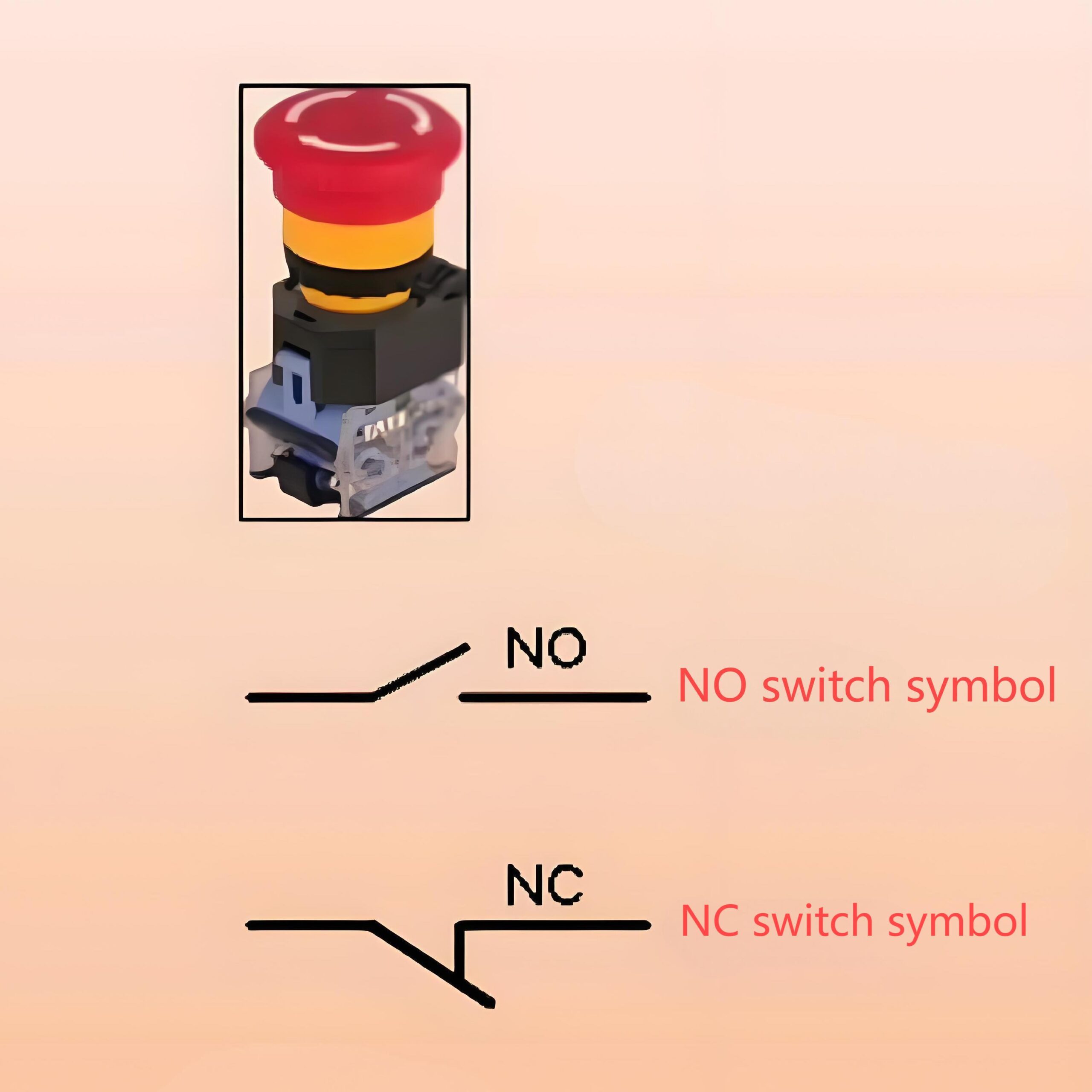
In a normally open switch diagram, you’ll usually see the two contacts apart, sometimes represented by a break in a line with a diagonal path leading to a connecting line. This is known as the normally open switch schematic symbol.

How to test normally open switch?

Testing a normally open push button switch is quite simple. Here’s how to do it:

Turn off all power to the switch. Grab a multimeter and set it to continuity or resistance mode.

Place the probes on both switch terminals. If it’s truly normally open, you won’t hear a beep or see any continuity.

Now, press the switch. The multimeter should beep or show continuity while the switch is pressed.

Release it, and it returns to open. This process tells you the switch works exactly as a momentary switch normally open should.

How to make a normally open switch normally closed?

You’d need to:

Open the housing. Replace or adjust the internal spring mechanism. Swap the terminal arrangement if it allows it.

But keep in mind: this isn’t always safe or practical. A better and safer solution is to buy a normally closed switch. If your design changes later, look for normally closed normally open switch types that offer both modes in one.

Are pressure switches normally open or closed?

Both types exist, but most pressure switches are normally open by default.

For instance, in HVAC systems, a normally open pressure switch completes the circuit when air or water pressure hits a set level. Once it does, the contacts touch, the circuit closes, and the system reacts.

What is a normally open switch? NO switch

However, in some safety applications, normally closed held open switch configurations are used. In this case, the switch stays closed until an external force opens it.

What is the difference between NC and NO switch?

This is one of the most important distinctions to understand in basic electronics.

  • Normally Open (NO): Default state is off. Circuit closes when the switch is activated.

So, in a normally open vs normally closed switch, one stops current by default while the other allows it.

If you want a system that only activates when prompted, go with a normally open switch. If you want continuous current unless there’s an interruption, choose a normally closed switch.

Will a normally open switch normally allow current to flow?

No, and that’s the point. The open switch meaning is simple: the path is not connected. So, a normally open switch does not let current pass until it’s pressed or triggered.

Think of it like a faucet that’s off. Unless you turn the handle (press the button), no water (or current) flows. This makes it useful in security systems, medical alerts, and anything where manual control matters.

What is a normally open switch? NO switch

What are the applications of normally closed switches?

While normally open switches are common, normally closed switches also have their place. Their design ensures a continuous current flow, which only stops when triggered.

  • Emergency stop buttons: The circuit is always live. When pressed, the flow breaks.
  • Elevator safety systems: To detect door positions.
  • Automated shutdown systems: To immediately cut power if needed.
  • Power cutoffs: For safety when the system malfunctions.

They’re also used in normally closed push to open switch models, which open the circuit only when pressed. This setup is vital for systems that must stay live unless someone intervenes.

Conclusion:

A normally open switch stays open unless triggered. It allows current only during active use. It’s ideal for momentary tasks and safe, manual control. You can test it with a multimeter easily. It differs clearly from the normally closed switch. And yes, it’s budget-friendly and widely available.

Still have questions or need a custom design with tactile metal dome feedback? Reach out to our expert team today at sales@metal-domes.com
Posted in FAQ, Others | Tagged , , , , | Comments Off on What is a normally open switch? NO switch

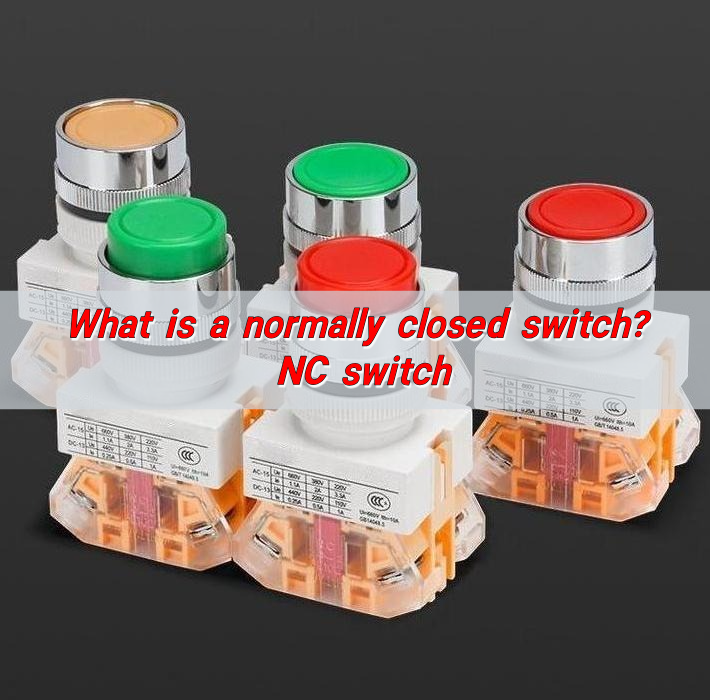
What is a normally closed switch? NC switch

A normally closed switch is a switch that remains closed when no external force is applied, allowing the circuit to conduct. When the trigger condition occurs, the switch opens and cuts off the circuit. Typical application scenarios include safety switches and emergency stop buttons, which need to be manually reset after the external force disappears.

What is a normally closed switch? NC switch

What does normally closed switch mean?

A normally closed switch—often shortened as NC—is a type of switch that allows current to flow through it in its default state. In simpler terms, it’s “on” by default. When the switch is not being pressed or activated, the electrical circuit remains complete, and current flows through it. Once it is activated—such as when you press a button—the circuit opens, and current flow stops.

This is the opposite of a normally open switch, which stays “off” until it’s pressed or triggered.

This normally closed switch meaning is essential for systems that must stay active until someone deliberately interrupts them—like emergency stops, alarms, and safety controls.

What is the symbol of a normally closed switch?

Reading circuit diagrams requires recognizing certain symbols. It’s typically drawn as two connecting lines with a diagonal slash through them. This slash represents the break that occurs when the switch is activated.

What is a normally closed switch? NC switch

So, when you see a slash across closed contacts, you’re looking at an NC switch. If there’s no slash, it’s a normally open (NO) switch.

What does a normally closed switch do?

The main function of a normally closed switch is to keep the circuit closed and allow current to flow—until it’s pressed or activated. Once triggered, the circuit opens and the current stops. This simple action controls machines, signals, or lighting systems.

The normally closed switch in the unoperated condition is “closed”—meaning current flows freely. This state is ideal for safety devices where losing power or opening the circuit is a deliberate action.

In real life, it’s used to halt production lines when something goes wrong, or instantly stop motors to avoid damage.

Are there different types of normally closed switches?

Yes, and that’s part of what makes them so versatile.

  • Push Button: A normally closed switch push button is common in machinery. Press it, and the circuit cuts off instantly.
  • Momentary: A momentary normally closed switch only opens the circuit while it’s pressed. Let go, and it returns to the closed state.
  • Snap Dome: Used in membrane switches or control panels, these offer tactile feedback.
  • Toggle: These maintain their position until switched again.

The normally closed switch button comes in countless shapes and forms, depending on where and how it’s used.

How does a normally closed switch work?

Internally, it has two contact points touching by default. Electricity flows from one to the other without interruption. When you press the switch, those contact points separate, breaking the path.

In its unoperated condition, it stays closed. The moment it’s activated, it opens.

This normally closed switch function is why it’s found in systems where power must be available until stopped by an external force or decision.

What is a normally closed switch? NC switch

For example, a safety machine guard might use an NC switch to shut down the machine the second the guard is removed.

How to test a normally closed switch?

  • Power Off the Circuit – Always ensure safety first.
  • Use a Multimeter – Set it to continuity or ohms.
  • Test the Terminals – Place the probes on the switch terminals.
  • Read the Result – If the circuit is closed (as it should be in an NC switch), you’ll hear a beep or see low resistance.
  • Press the Switch – Now, the circuit should open. The meter should show no continuity or high resistance.

What is the difference between NC and NO switch?

The core difference between normally open and normally closed switch types is their default state.

  • NC Switch: Circuit is closed by default. Power flows until the switch is activated.
  • NO Switch: Circuit is open by default. Power flows only when the switch is activated.

Their use depends on the need. NC is better for safety applications. NO works well for user-activated features like lights or buzzers.

Do normally closed switches have a long lifespan?

Absolutely—especially when well-designed. Quality materials, proper usage, and regular maintenance extend the life of any switch.

In fact, many normally closed switches are built to last millions of cycles. Metal dome switches, in particular, are known for their longevity and crisp tactile response.

Using a normally closed push button switch made with durable contacts ensures consistent performance even in high-use environments.

Of course, exposure to dirt, moisture, or overvoltage can reduce lifespan. But in general, these switches are reliable and built to endure.

What are the common applications of normally closed switches?

The list is long. Here are just a few areas where normally closed switches shine:

  • Emergency Stops – When safety is the priority, these switches cut off power immediately.
  • Industrial Machines – Stops machinery when covers or guards are moved.
  • Elevators – Stops doors from closing if the safety beam is interrupted.
  • Medical Equipment – Ensures constant power until intervention.
  • Security Systems – Alarms activate when circuits break.
  • Control Panels – Offers real-time control and immediate response.
What is a normally closed switch? NC switch

When it comes to closed switch meaning, just remember: closed = current flowing. It means on. The switch is allowing electricity to pass through.

Conclusion:

The normally closed switch may seem simple, but its importance is enormous. In its unoperated condition, it allows energy to flow—until you choose to stop it.

Have questions or need high-quality NC switches for your next project? Reach out to us anytime at sales@metal-domes.com
Posted in FAQ, Others | Tagged , , , , | Comments Off on What is a normally closed switch? NC switch